EasyManua.ls Logo

Bluesound Pulse - Wall Mounting Instructions; Template Usage and Marking; Bracket and Soundbar Installation; Cable Management

Bluesound Pulse
28 pages
Print Icon
To Next Page IconTo Next Page
To Previous Page IconTo Previous Page
Loading...
en
I Mounting Instructions
1.
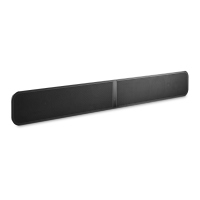
Using
this template, locate your
desired
PULSE
SOUND
BAR
placement noting
the
required
clearances.
2.
Use
a
sharp
object
to
mark mounting points
for
horizontal mounting
on
the
wall, considering correct
load-bearing
and
anchor requirements.
Anchors
and
mounting hardware
are
not included.
3. Drill
and
install
the
required
anchors
for
the
corresponding screw
size
being
used.
At least 5mm
(or
#8) flathead steel screws
are
recommended.
4.
Mount
the
bracket
to
the
wall.
5.
Attach
the
PULSE
SOUNDBAR
to
the
bracket. Angle
the
groove
on
the
back of
the
PULSE
SOUNDBAR
onto
the
curved
edge
of
the
bracket.
See
diagram
on
the
front
side
of this template.
6.
Carefully
load
test
the
mounted
PULSE
SOUND
BAR
to
ensure
that it
is
safely
and
securely installed.
7.
Run
all required
power,
audio,
and
network cables
for
your
setup.
These
instructions
are
for
wall mounting only.
Refer
to
the
supplied Quick
Setup
Guide
for
PULSE
SOUND
BAR
setup
and
configuration.
NOTE:
THE
INSTALLER
IS
RESPONSIBLE
FOR
A
SAFE
AND
SECURE
INSTALLATION.

Related product manuals