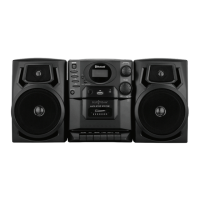
LOCATION OF CONTROLS (MAIN UNIT)
1. PREVIOUS / F.REV Button
2. NEXT / F.FWD Button
3. STOP / BAND Button
4. STANDBY Button
5. PLAY / PAUSE / FM STEREO Button
6. +10 Button
7. PLAY MODE / PROGRAM Button
8. Remote Sensor
9. LCD Display
10. USB PORT
11. POWER / BT Indicator
12. CD Door
13. CD Door OPEN / CLOSE
14. FOLDER / MEMORY Knob
15. VOLUME Knob
16. Speakers
17. FUNCTION Button
18. Cassette Door
19. CASSETTE RECORD Button
20. CASSETTE PLAY Button
21. CASSETTE REWIND Button
22. CASSETTE FAST FORWARD Button
23. CASSETTE STOP / EJECT Button
24. CASSETTE PAUSE Button
25. Built-
in Microphone
26. Handle
27.Telescoping Antenna
28. Battery Compartment
29. RIGHT Speaker Jack
30. LEFT Speaker Jack
31. AC Socket
LOCATION OF CONTROLS (REMOTE CONTROL)
32. STANDBY Button
33. FUNCTION Button
34. PLAY / PAUSE / FM STEREO Button
35. STOP / BAND Button
36. PREVIOUS / F.REV Button
37. NEXT / F.FWD Button
38. VOLUME DOWN Button
39. VOLUME UP Button
SPEAKER CONNECTIONS
To Attach the speakers to the main unit, align the grooves of the main unit with the grooves
on the side of one of the speakers. Slide the speaker downward until the latch on the
speaker firmly attaches to the main unit.
• To Detach the speakers simply press and hold the latch on the side of each speaker
and lift the speaker upwards.
• For the RIGHT speaker insert the attached 3.5mm plug into the RIGHT SPEAKER
JACK (29)
• For the LEFT speaker insert the attached 3.5mm plug into the LEFT SPEAKER
JACK (30)


 To Next Page