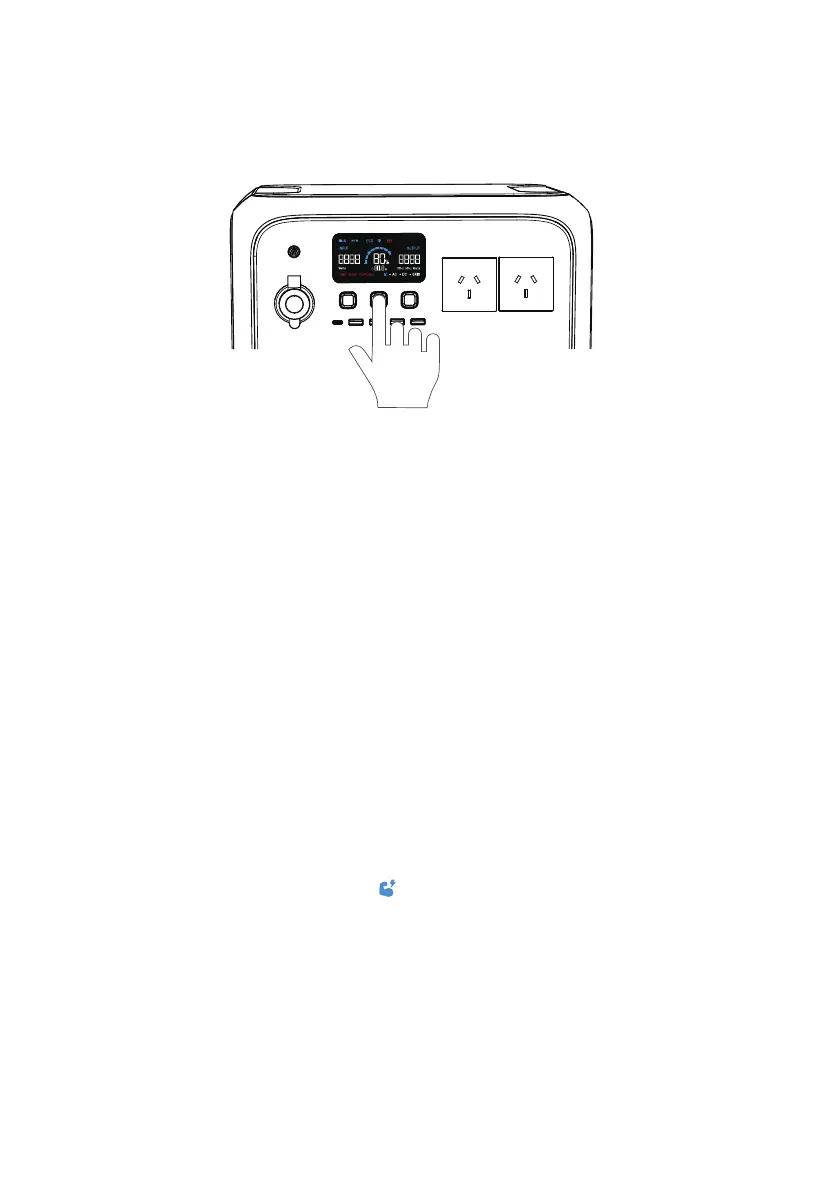
4. Operation
4.1.1. Power ON/OFF
• Press the PWR button to start the AC180. When AC180 is on, press this button to turn
on/off the LCD screen. Press and hold the button for more than 2 seconds to turn off
the AC180.
• Press the DC power button to turn on/off the DC output (cigarette lighter, USB,
wireless charging).
• Press the AC power button to turn on/off the AC output.
4 .1.2.Settings
•
Setting mode: When the screen is on and the AC output is off, press and hold the AC
and DC power buttons for about 2 seconds to enter Setting mode.
• Frequency switching: The current output frequency (50Hz/60Hz) is displayed in the
lower right corner of the screen. Under Setting mode, press the AC power button to
switch the frequency.
• Power Lifting mode: The Power Lifting mode is disabled by default. To enable it, press
and hold the AC power button for about 2s in Setting Mode, or turn it on directly in the
BLUETTI app. When enabled, the icon is displayed on the screen. In this mode, the
AC180 can run high drain pure resistive loads* (≤2700W) while its rated output power
remains 1800W.
Note: The Power Lifting mode is not available when charging AC180 via an AC source like
a wall outlet or generator. The AC source will bypass the inverter and supply power
directly to connected AC loads.
4.1 Buttons
BLUETTI AC180 has PWR button, AC power button and DC power button.
* Include heaters, irons or any other devices consisting of heating elements only.
JUST POWER ON12



 To Next Page