11
Powering off: Press and hold power buttons to shut down corresponding output.
Setting Mode: When the AC output is off, press AC and DC power buttons simultaneously and
the frequency indicator flashes.
ECO Mode
1
: Under 'Setting Mode', press the DC power button to turn it on/off.
Green light(on the button)
LCD Display
OFF
OFF
AC Frequency
2
: Under 'Setting Mode', press the AC power button to switch.
Mode
Setting
1
When on this mode, the AC output will automatically turn off after 4-hour low (≤10W) or no load to save power.
2
AC Frequency: the number of alternating cycles per second in an AC sine wave. The utility frequency in US is
usually 60Hz.
Charging
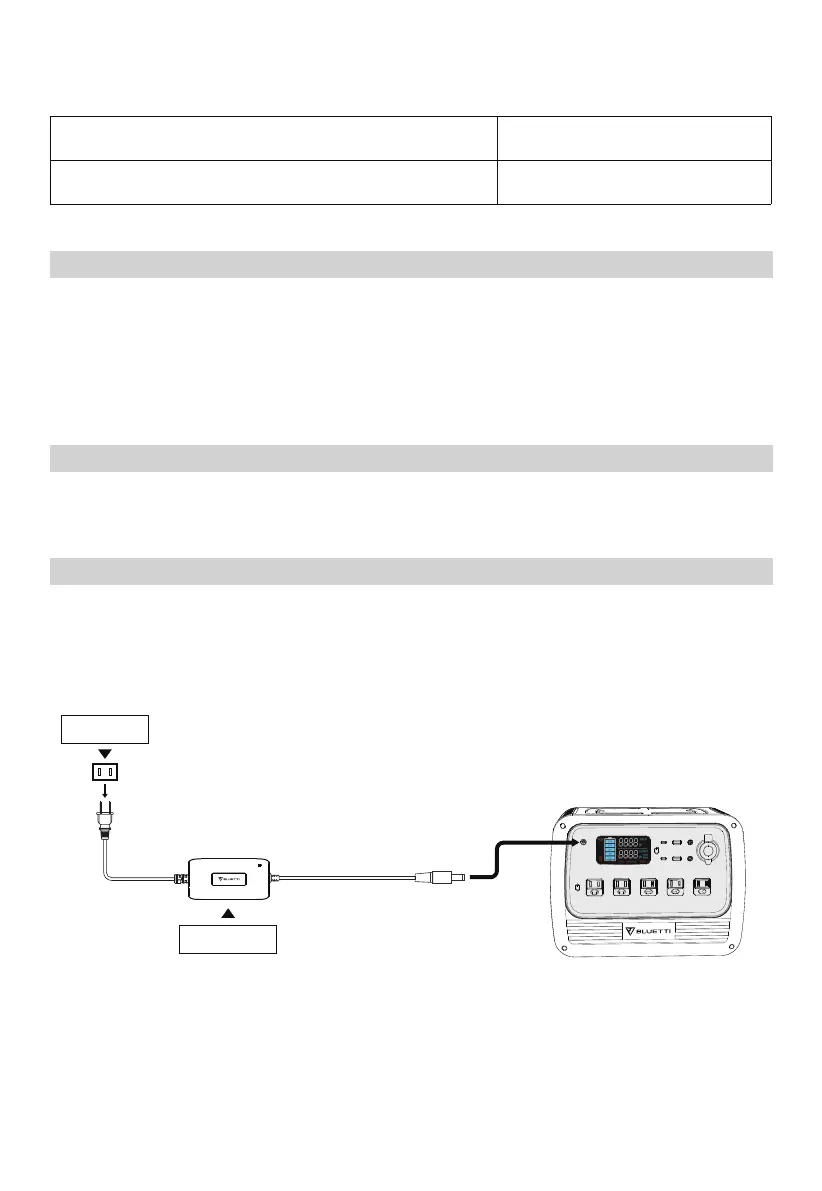
AC Charging
Simply plug the PS72 into a standard wall outlet and start charging.
Wall Outlet
AC Adapter



 To Next Page