7
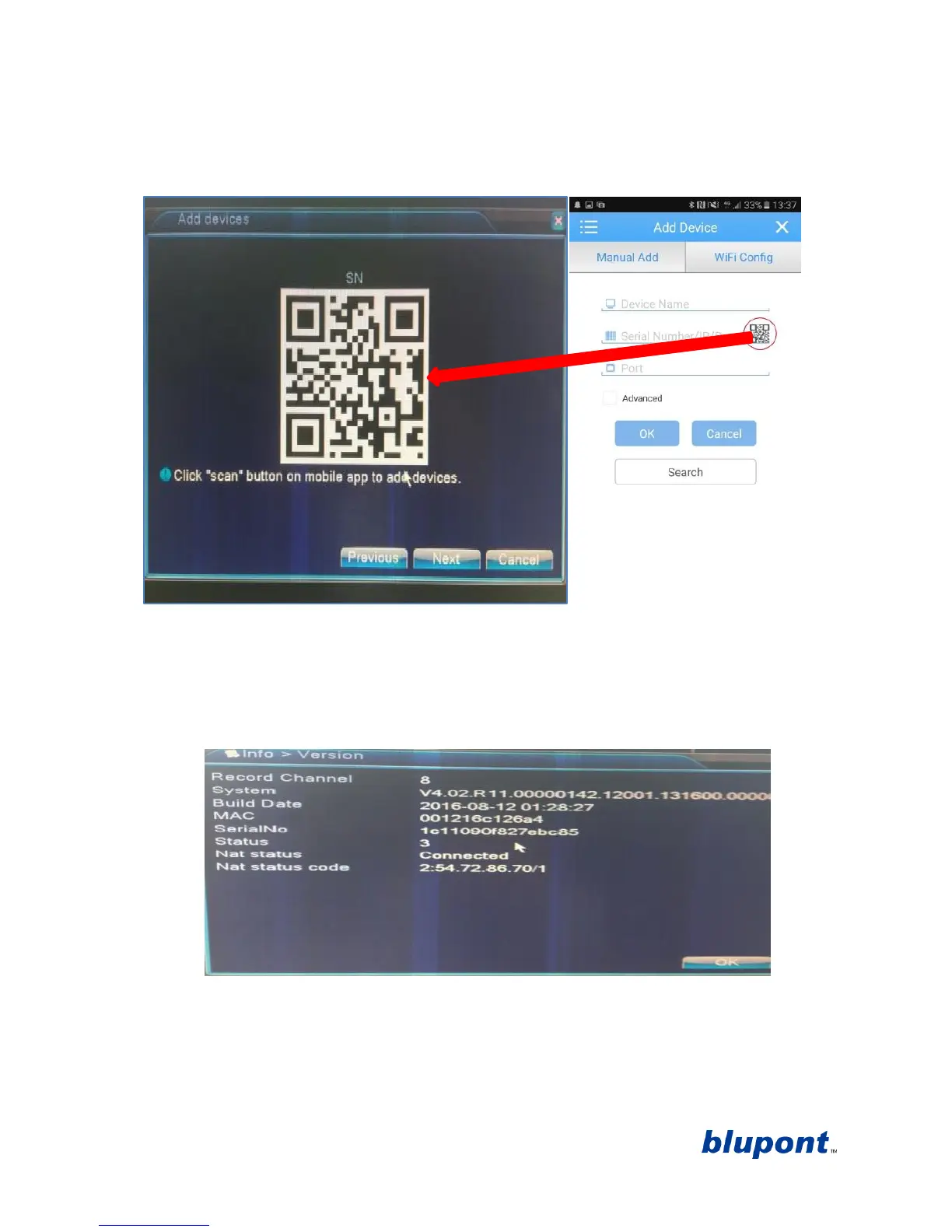
(as shown in the image below) to bring up the QR code scanner to instantly input the DVR’s
unique serial number.
e. Click next on the DVR to view the DVR’s unique Serial Number in a QR code format. See
example picture below. Scan this code through the app.
f. This will connect the device via the cloud to allow remote viewing from anywhere in the
world. From here you can take snap shots and record videos to your phone, in real time.
NOTE: Should this fail you can access the serial number by exiting the set-up wizard on the
DVR by clicking ‘Cancel’
on the main page right click for the drop down menu
click ‘main
menu’
then Click ‘Info’
then click ‘Version’. From there you will find system information.
See example picture below.
8. Set up wizard is now complete click ‘OK’ This will take you to the main page showing camera
channels from where you will now be able to use the DVR system.


 To Next Page