6
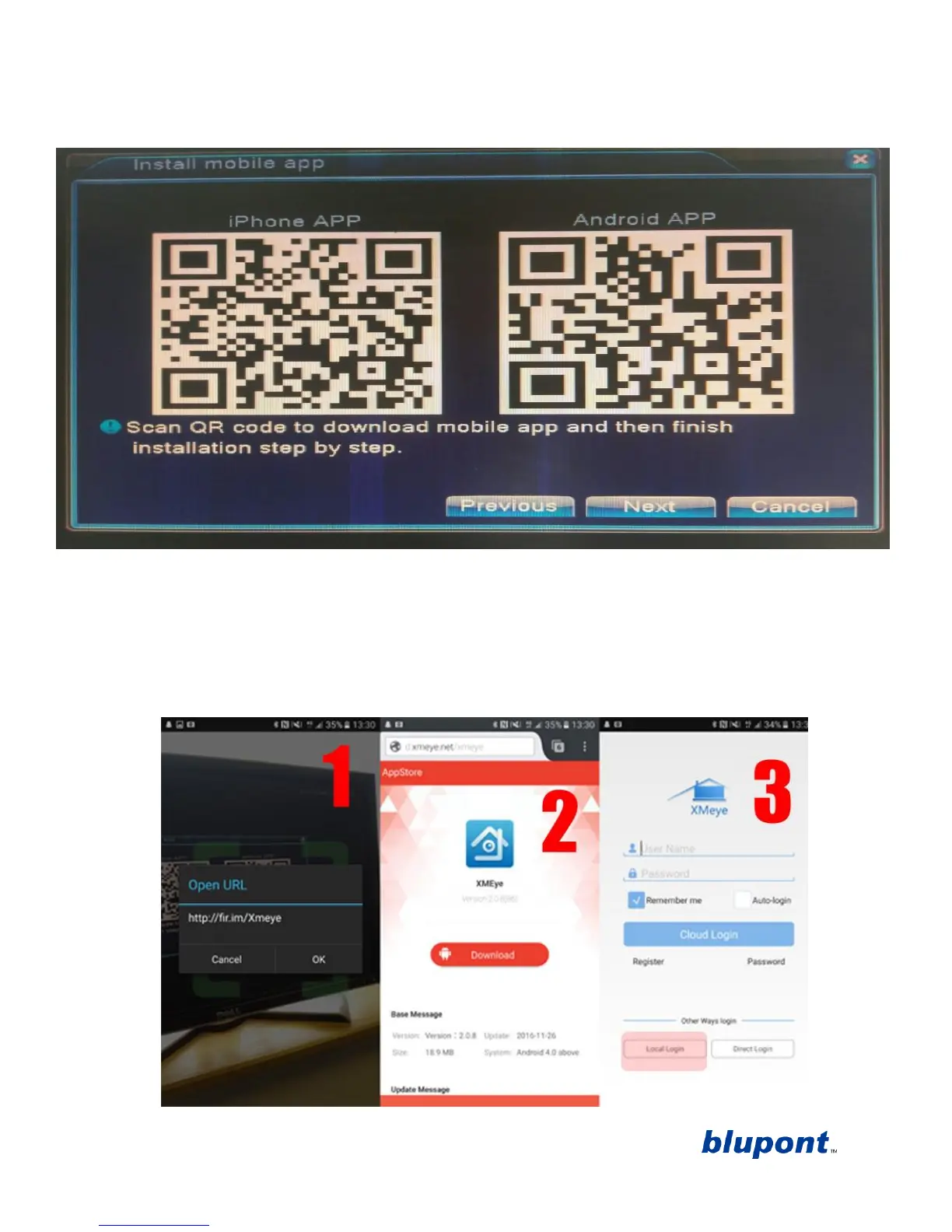
not have a QR code Scanner app on your phone
search ‘QR code scanner’ in android play
store or Apple app store
download the app and open.
b. This will bring up a series of prompts to get the app working. 1. Follow the link, click ‘OK’ 2.
Download the app, click ‘download’ 3. Open the app once downloaded and click ‘local
login’ (circled red).
c. NOTE: If the Scan does not work, search and download xmeye on android Playstore or Apple
App store
download the app
open the app on your mobile device.
d. Once you have clicked ‘local login’ follow directions to add the DVR device by clicking ‘+’
as prompted by the app then input a ‘device name’ of your choosing click the QR Code


 To Next Page