16EN
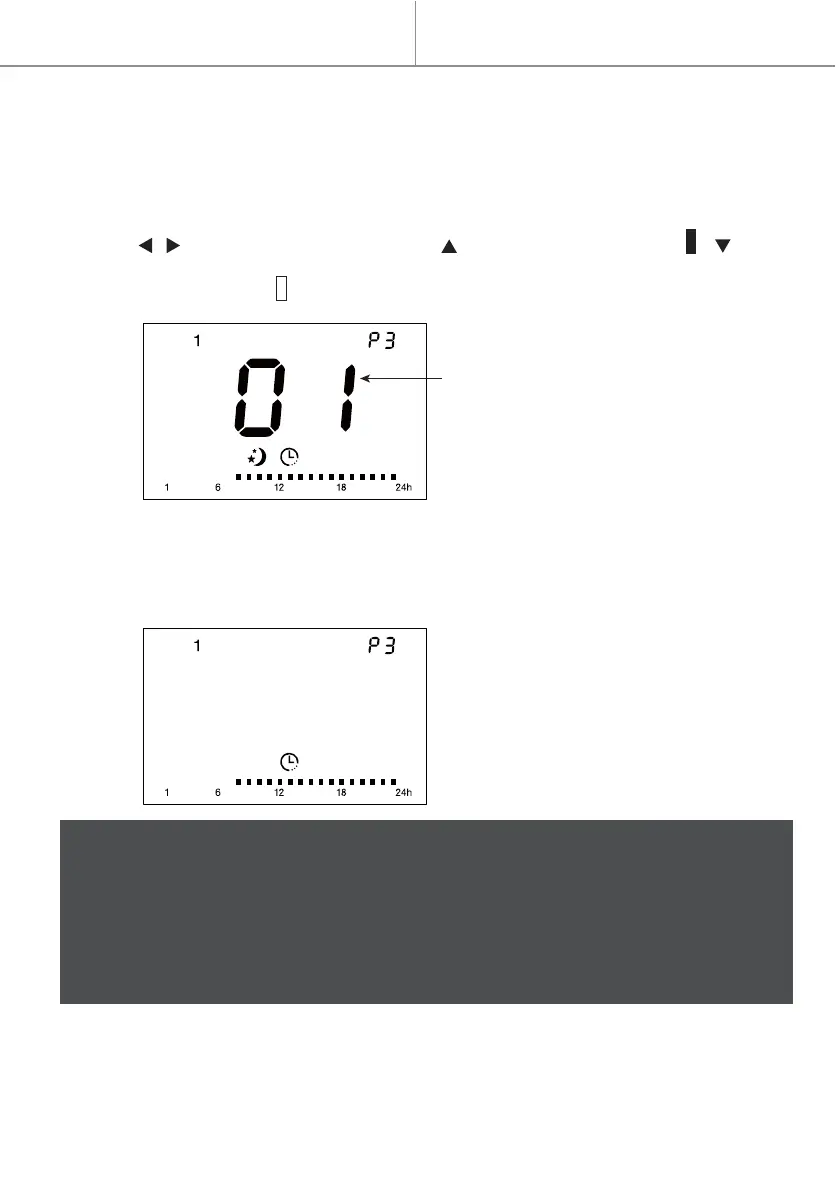
Hour
(01 is for hour 1 to hour 2, and so on,
24 is for hour 24 to hour 1)
Quick start
Setting of 7 pre-set 24-hour programs (P1-P7)
Under program mode setting interface, regardless of which day, when you choose
program from P1 to P7, press and hold OK for 3 seconds to enter the setting
interface of the mode. The setting will be memorized (in case of power failure, it will
also be memorized).
1. Press / to choose hour (1-24). Press to choose comfort mode. , to
choose economic mode .
2. After setting of 24 hours, it will automatically save and go back to previous setting
interface.
For example, if you enter the P3 setting from below interface (day 1, P3), it will go
back to below interface (day 1, P3) after you finish P3 24-hour setting.
Notes:
1. In case of power failure, the unit keep in memory only the parameters,
temperature and operating mode. When power is restored, the clock should be
adjusted again to operate the program modes properly.
2. After you finish program mode setting, it will be saved but will not
automatically start working at program mode. You need to press left/right arrow
button to choose program mode to make the heater work at this mode.



 To Next Page