Keyboard lock
IV. Keyboard lock setting
Press MENU button for three seconds to activate the keyboard lock function , in
order to unlock, press MENU again for three seconds
5)Press / to exit motion sensor function and choose other modes.
17EN
Quick start
3. Motion sensor
Press MENU to enter setting interface, and / to choose motion sensor . When
is flashing, press OK to enter setting interface.
Press / or / to choose ON/OFF. Press OK to confirm and after 30 seconds, it
will automatically save and go back to working interface.
Remarks:
1) When motion sensor function is ON, the appliance will work at comfort mode as
default, with icon show on the screen.
2) Once absence is detected, it will automatically enter eco mode or anti-freeze
mode , with icon flashing.
3) At any time, once presence detected, the appliance will go back to comfort mode
, with kept on.
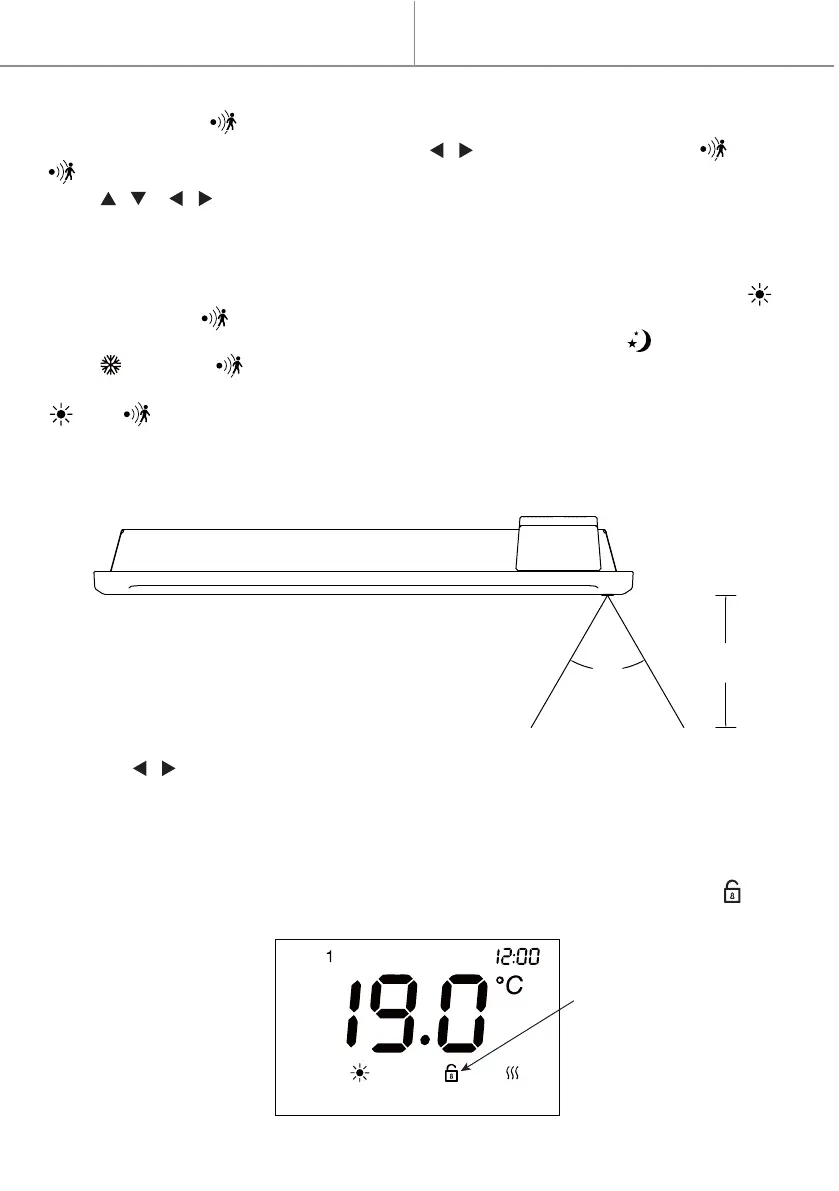
4) Detected distance and angles are indicated as follows:
60°
3m



 To Next Page