ES: error 3 = 1 green and 3 red flashes
In case of encoder programming, errors cod: 9/10 occur occur when the
encoder fails to adjust itself via the photocell after the inverter is turned off.
9. POSITION LEARNING
AUTOMATIC CLOSING(LIMIT SWITCH)
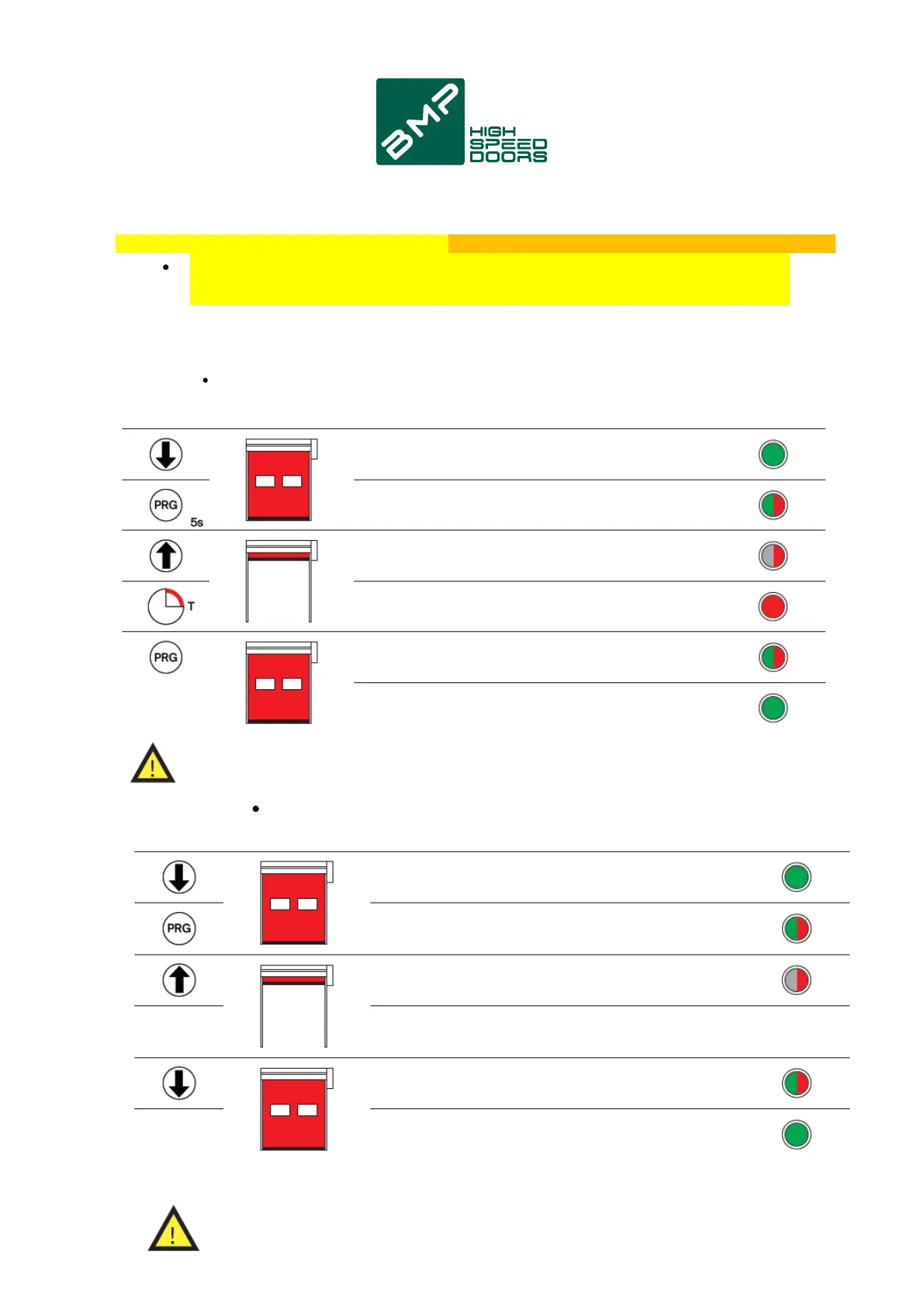
STEP BY STEP (LIMIT SWITCH)
Action Description
Close the door to the limit switch.
Push button panel led: steady green.
Press PRG for 5s.
Button panel led: flashing green/red.
Press up arrow to open the door to the limit switch.
Button panel led: flashing red.
Wait for the time do break.
Button panel led: steady red.
Press PRG the door closes to and end stop.
Push button panel led: blinks green/red.
Closed door.
Push button panel led: steady green.
Close the door to the limit switch.
Push button panel led: steady green.
Press PRG for 5s.
Button panel led: flashing green/red.
Press up arrow to open the door to the limit switch.
Button panel led: flashing red.
Closed door.
Push button panel led: steady green.
Press down arrow (impulsive) the door closes to the limit switch.
Push button panel led: flashing green/red.
To exclude the photocells in the last section of the closure, darken the beam just before the passage of the curtain,
during the first closing movement. In case of depression, the curtain may reopen engaging the photocell.
To exclude the photocells in the last section of the closure, darken the beam just before the passage of the curtain,
during the first closing movement. In case of depression, the curtain may reopen engaging the photocell.
LED
Action Description LED
5s
10


 To Next Page
 Loading...