Observe the following to ensure that the vehi‐
cle is secured against rolling away:
▷ Apply the parking brake.
▷ Turn the front wheels towards the kerb on
upward or downward gradients.
▷ Additionally secure the vehicle on upward
or downward gradients, for example with a
chock.
Overview
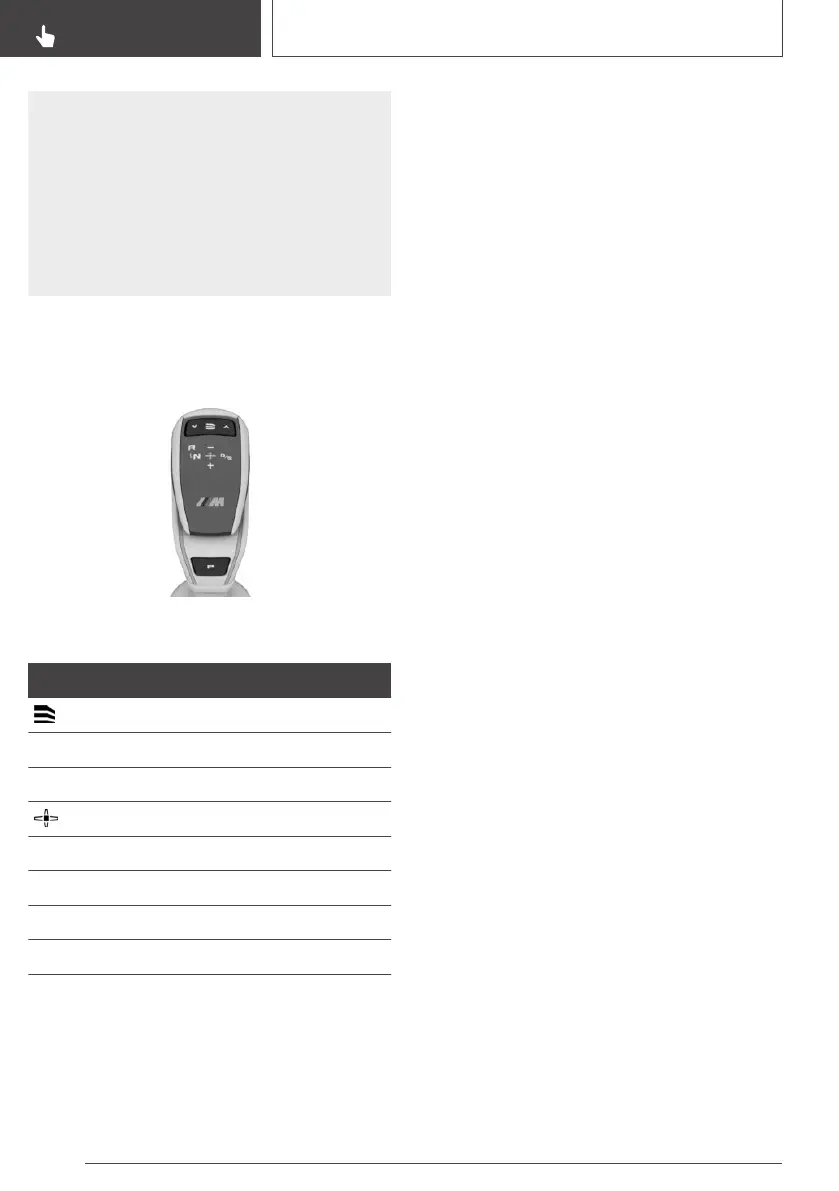
Selector lever
Selector lever functions
Symbol Function
Drivelogic programmes
R Reverse gear.
N Neutral.
Centre position, forward setting.
- Downshift, manual.
+ Upshift, manual.
D/S Drive mode or sequential mode.
P Park.
Selector lever positions
D Drive mode
Selector lever position for driving. All gears for
forward driving are selected automatically.
S Sequential mode
Selector lever position for driving. All gears for
forward driving must be shifted manually.
R Reverse
Only engage selector lever position R when the
vehicle is stationary.
N Neutral
In selector lever position N, the vehicle can be
pushed or can roll without power from the en‐
gine, for example in car washes, see page 137.
P Park
Selector lever position for parking the vehicle, for
example. In selector lever position P, the trans‐
mission blocks the drive wheels.
Only engage selector lever position P when the
vehicle is stationary.
Selector lever position P is automatically en‐
gaged in the following situations, for example:
▷ After switching off drive-ready state or
standby state if selector lever position D/S or
R is engaged.
▷ After switching off standby state, if selector
lever position N is engaged.
▷ If the driver's seat belt is unfastened, the driv‐
er's door is opened and the brake pedal is not
depressed while the vehicle is at a standstill
and selector lever position D/S or R is en‐
gaged.
Engaging selector lever position
General
Apply the brakes until you are ready to drive off,
otherwise the vehicle will move when a drive po‐
sition is selected.
The engaged selector lever position is shown in
the instrument cluster and on the selector lever.
Seite 136
CONTROLS
Driving
136
Online Edition for Part no. 01402989787 - II/18



 To Next Page