Activating
1. Switch on drive-ready state while pressing
the brake.
2. If necessary, release the parking brake.
3. If necessary, deactivate Automatic Hold.
4. Engaging selector lever position D/S or R.
5. Release brakes.
In 1st and 2nd gear and in reverse gear, the vehi‐
cle rolls at minimum speed.
Deactivating
Brake the vehicle until it comes to a stop.
Drivelogic
Principle
Drivelogic changes the shifting characteristics of
the M Steptronic sport transmission. For exam‐
ple, the shifting points are changed in Drive
mode and the shifting times in sequential mode.
General
3 Drivelogic programmes are available.
After each change between Sequential mode
and Drive mode, the last programme selected is
active.
If the drive-ready state is switched on after the
vehicle has been in the idle state, programme
D1 is active in Drive mode.
Programs
Pro‐
gram
me
Drive mode Sequential
mode
D1/S1
Efficient driving. Comfortable gear‐
shifts.
D2/S2
Fast driving. Sporty, crisp gear‐
shifts.
D3/S3
Sporty driving. Maximum gear‐
shift speed,
Launch Control.
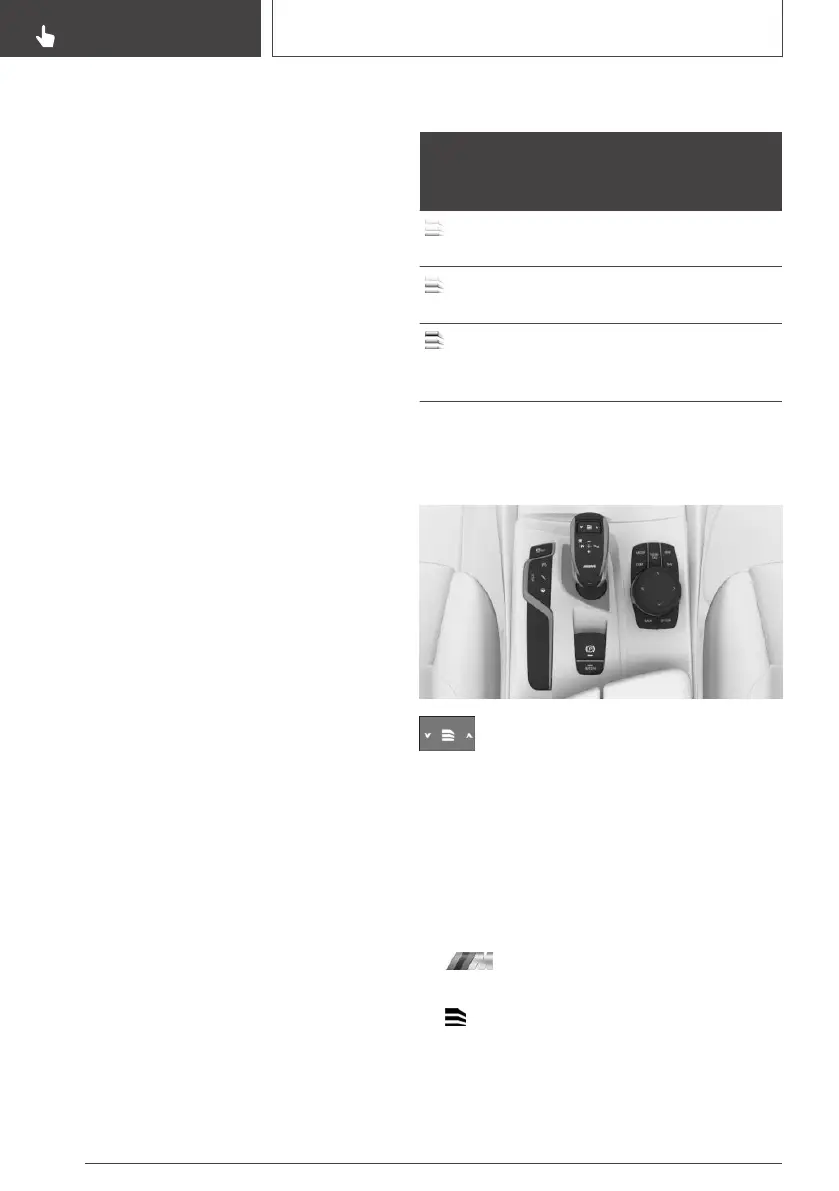
Selecting a channel
Via the rocker switch on the selector lever
Press the rocker switch until the desired
programme is displayed in the instru‐
ment cluster.
Via M Setup
It is possible to configure the required pro‐
gramme for Setup M1 or M2.
Via iDrive:
1.
"My Vehicle"
2. "Setup"
3. "Configure M1" or "Configure M2"
4. "Transmission"
5. Turn the Controller until the desired setting is
reached and press the Controller.
▷ "D1" to "D3": Drive mode.
Seite 140
CONTROLS
Driving
140
Online Edition for Part no. 01402989787 - II/18



 To Next Page