▷ Current fuel consumption, arrow 3.
Average speed and average fuel
consumption
General
The average speed and average consumption
are calculated for the distance travelled since the
on-board computer was last reset.
The calculation of average speed ignores any
stationary periods where the engine was
switched off manually.
Resetting average values
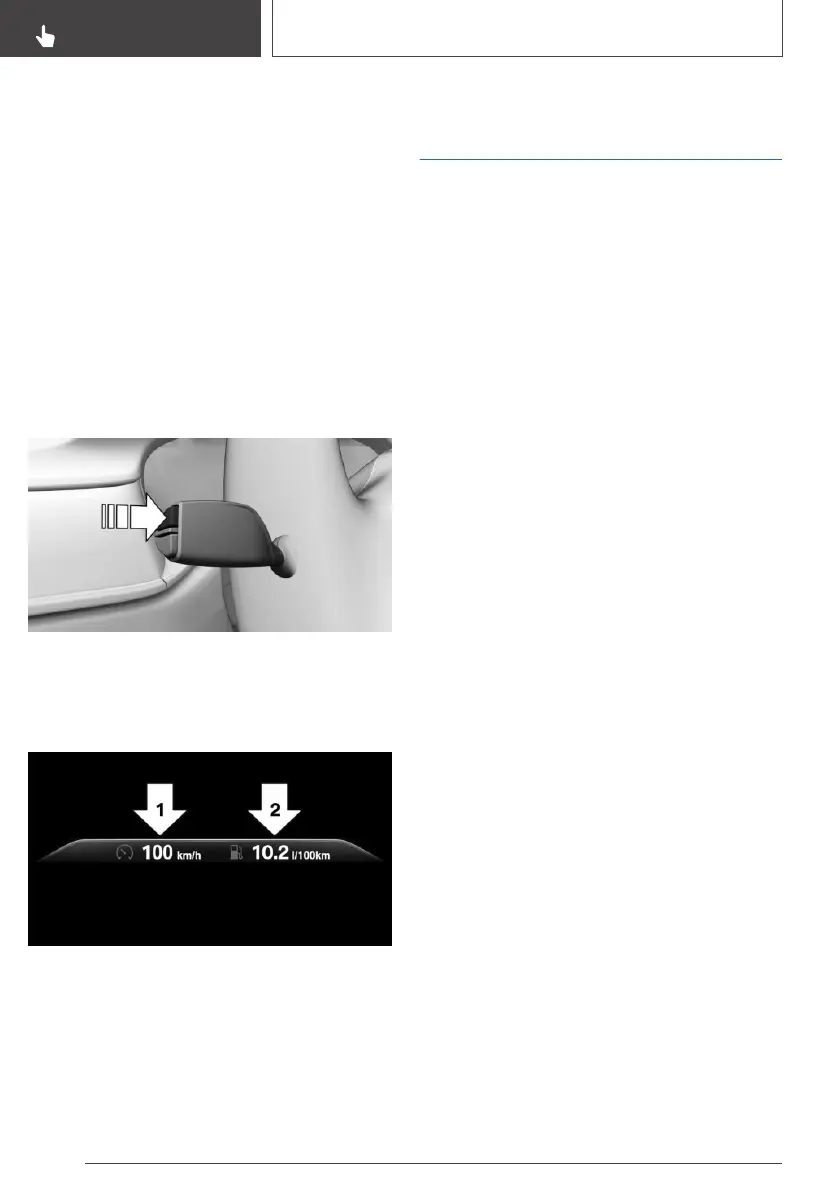
Press and hold the button on the turn indicator
lever.
Display
▷ Average speed, arrow 1.
▷ Average fuel consumption, arrow 2.
On-board computer on the
Control Display
Principle
The on-board computer shows various vehicle-
related data, such as average values, on the Con‐
trol Display.
General
Two types of on-board computer are available on
the Control Display:
▷ "On-board computer": average values such
as the fuel consumption are displayed. The
values can be reset individually.
▷ "Trip computer": values provide an overview
of a particular route, and can be reset as often
as required.
Calling up the on-board
computer or trip computer
Via iDrive:
1.
"My Vehicle"
2. "Driving information"
3. "On-board computer" or "Trip computer"
Resetting the on-board
computer
Via iDrive:
1.
"My Vehicle"
2. "Driving information"
3. "On-board computer"
4. "Consumption" or "Speed"
5. "OK"
Resetting the trip computer
Via iDrive:
1.
"My Vehicle"
2. "Driving information"
Seite 158
CONTROLS
Displays
158
Online Edition for Part no. 01402989787 - II/18



 To Next Page