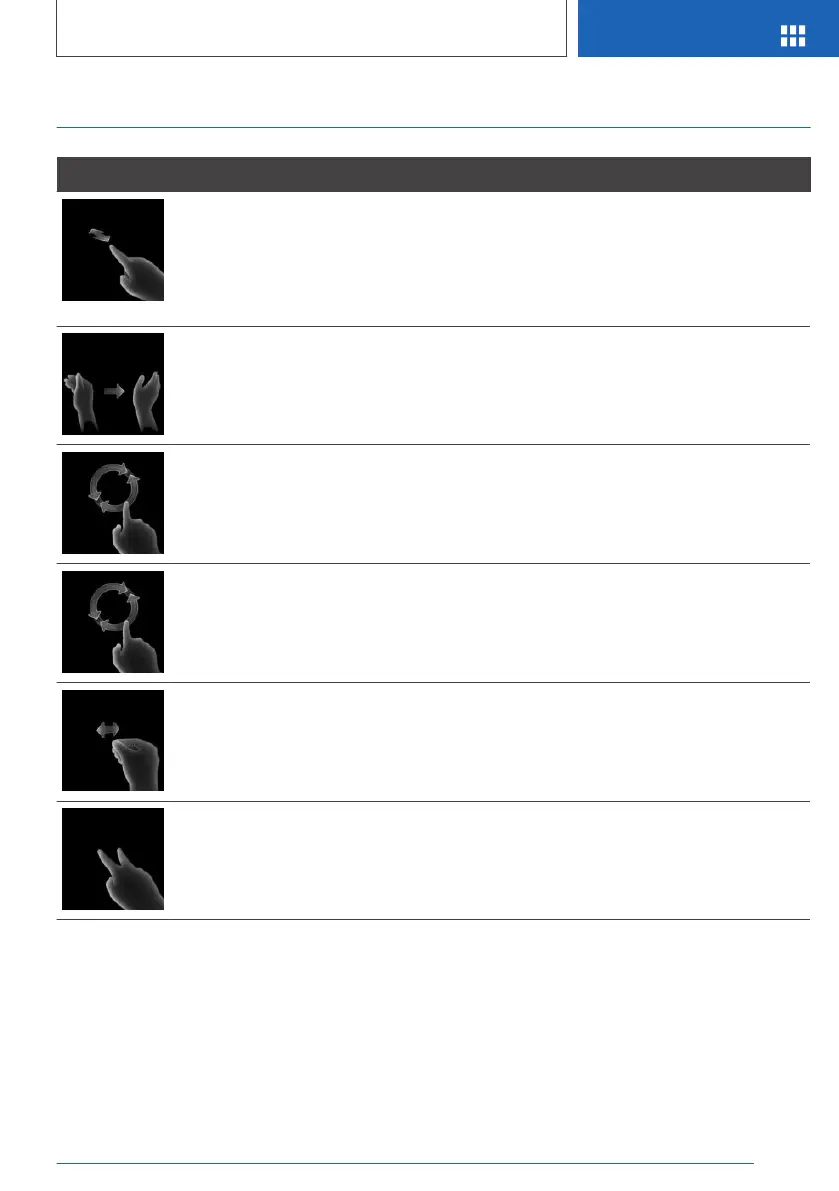
Possible gestures
Gesture Operation Function
Move your index finger forward in the direction of
the screen and back again.
Accept phone call.
Select highlighted entry of a list
during voice control.
Confirm the "Resume route
guidance" pop-up.
Move your hand across the width of the Control
Display in the direction of the front-passenger
side.
Reject phone call.
Close the pop-up.
End voice control.
Slowly move your hand in a clockwise circle with
your index finger pointing forward.
Gesture is detected after approximately one circu‐
lar movement.
To increase the volume.
Slowly move your hand in an anticlockwise circle
with your index finger pointing forward.
Gesture is detected after approximately one circu‐
lar movement.
Reduces volume.
Pinch your thumb and index finger together and
move your hand horizontally right or left.
Surround View: rotate camera
view.
This gesture is only possible with
the vehicle at standstill.
Move your index and middle fingers apart and ex‐
tend them forwards.
Individually assignable gesture.
Perform the gestures under the rearview window
and to the side of the steering wheel.
Perform the gestures clearly.
The gestures can also be performed by the front
passenger.
Assign gesture individually
Via iDrive:
1. "My Vehicle"
2. "iDrive settings"
3. "Gestures"
Seite 49
BMW Gesture Control
OVERVIEW
49
Online Edition for Part no. 01402989787 - II/18



 To Next Page