some time before the display key can be
used again.
▷ Due to the large variety of USB devices avail‐
able on the market, operation via the vehicle
cannot be ensured for every charger. The
charging time depends on the charger used.
▷ During charging, the charger and display key
can heat up. At higher temperatures, a reduc‐
tion in the charging current can occur due to
the display key; in exceptional cases, the
charging process is temporarily interrupted.
Charging
Via USB
Connect the display key to a USB port using the
micro-USB charging connection.
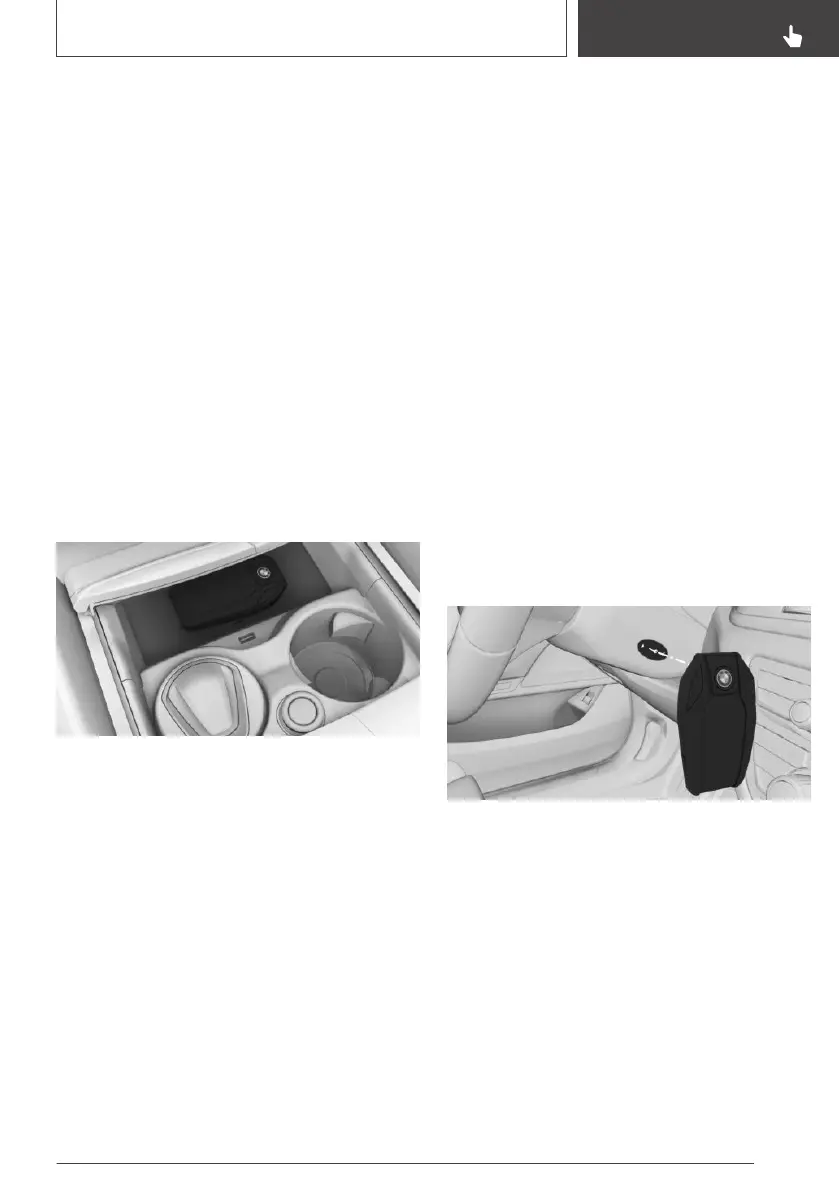
In the wireless charging dock
1.
Open the cover of the dock.
2. Place the display key in the middle of the
wireless charging dock in front of the cu‐
pholders.
Make sure that the display is pointing up‐
wards.
3. Close the cover of the dock.
Malfunction
General
A Check Control message is shown.
Detection of the BMW display key by the vehicle
may be disrupted by the following circumstan‐
ces, amongst others:
▷ The battery of the display key is flat. Re‐
charging the battery, see page 80.
▷ Disruption of the radio link by transmission
masts or other equipment transmitting pow‐
erful signals.
▷ Shielding of the display key by metallic ob‐
jects.
▷ Disruption of the radio link by mobile tele‐
phones or other electronic devices in the im‐
mediate vicinity.
▷ Interference with the radio link caused by the
charging of mobile devices, for example a
mobile phone.
Do not transport the display key together with
metallic objects or electronic devices.
If there is a malfunction, the vehicle can be un‐
locked and locked from the outside with the me‐
chanical key.
Switching on drive-ready state by
special ID of the BMW display key
The drive-ready state cannot be switched on if
the display key has not been detected.
If this happens, proceed as follows:
1.
Hold the back of the display key against the
mark on the steering column. Pay attention to
the display in the instrument cluster.
2. If the display key is detected:
Switch on drive-ready state within 10 sec‐
onds.
If the display key is not detected, change the po‐
sition of the display key slightly and repeat the
procedure.
Seite 81
Opening and closing
CONTROLS
81
Online Edition for Part no. 01402989787 - II/18



 To Next Page