MOBILITY AT A GLANCECONTROLSDRIVING TIPSENTERTAINMENT
121
NAVIGATIONREFERENCE
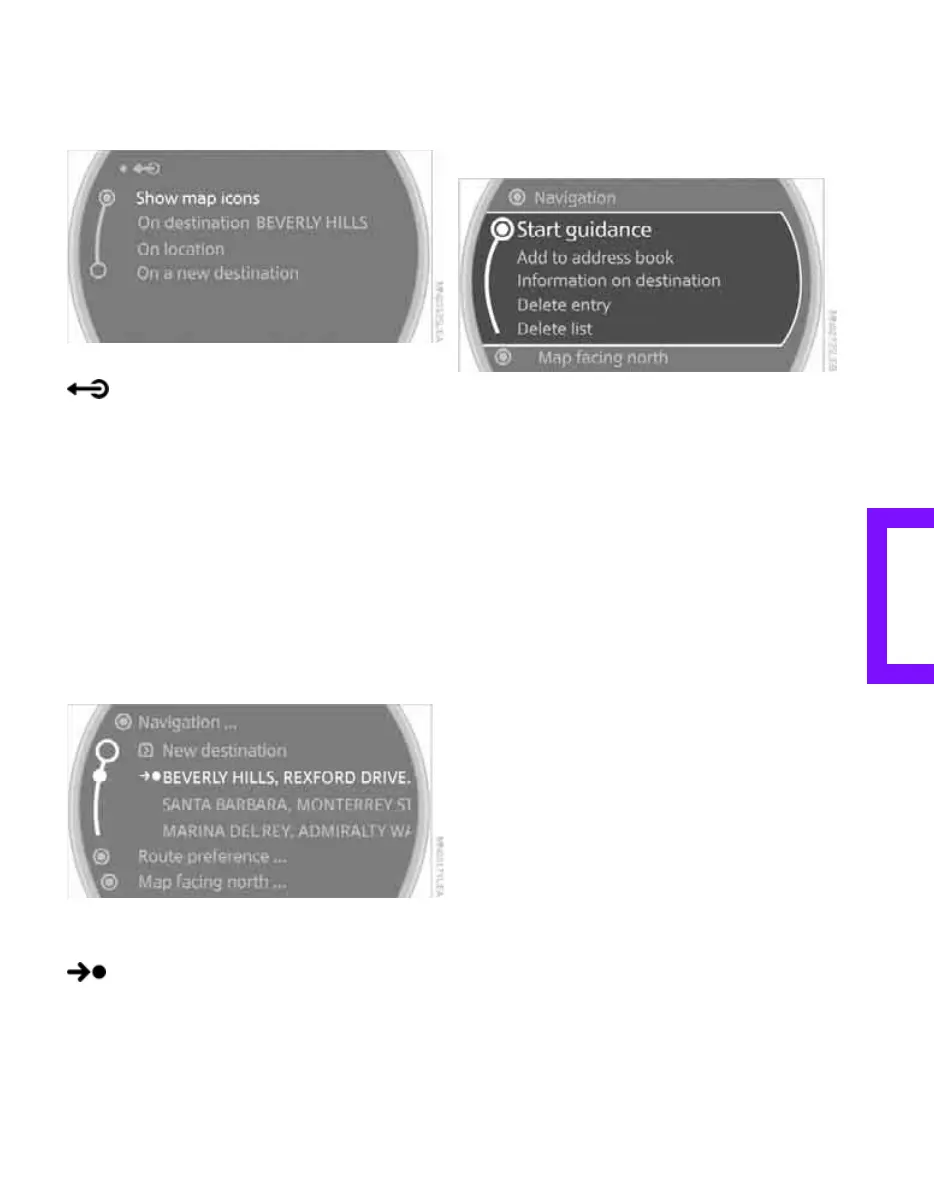
The symbols are hidden.
To show the symbols:
Select "Show map icons" and press the MINI joy-
stick.
To exit from the menu:
Select the arrow.
Destination list
The last 20 destinations entered into the system
are shown in the destination list. These destina-
tions can be called up and transferred for desti-
nation guidance.
Planning a longer route: all destinations that you
wish to drive to can be stored in advance in the
destination list, refer to Entering a destination
manually on page 114.
Select "Navigation".
The destination last entered is listed first in the
destination list.
This symbol indicates the current desti-
nation.
To show other destinations in the destina-
tion list:
turn the MINI joystick.
Transferring destination for destination
guidance
1. Select the desired destination from the des-
tination list.
2. Select "Start guidance".
Editing destination list
1. Select the desired destination from the des-
tination list.
2. The selected destination can be edited:
> To store the entry:
Select "Add to address book".
> To display information on the desti-
nation:
Select "Information on destination".
> To delete the entry:
Select "Delete entry".
> To delete all entries:
Select "Delete list". The destination guid-
ance is switched off.
> To change an entry:
Select "Edit". For operation, refer to
Entering destination by town/city name,
page 115.
Address book
Opening address book
Onboard monitor, for operating principle refer
to page 16.
Online Edition for Part no. 01 41 2 602 955 - © 08/09 BMW AGOnline Edition for Part no. 01 41 2 602 955 - © 08/09 BMW AG



 To Next Page