CD player and CD changer
150
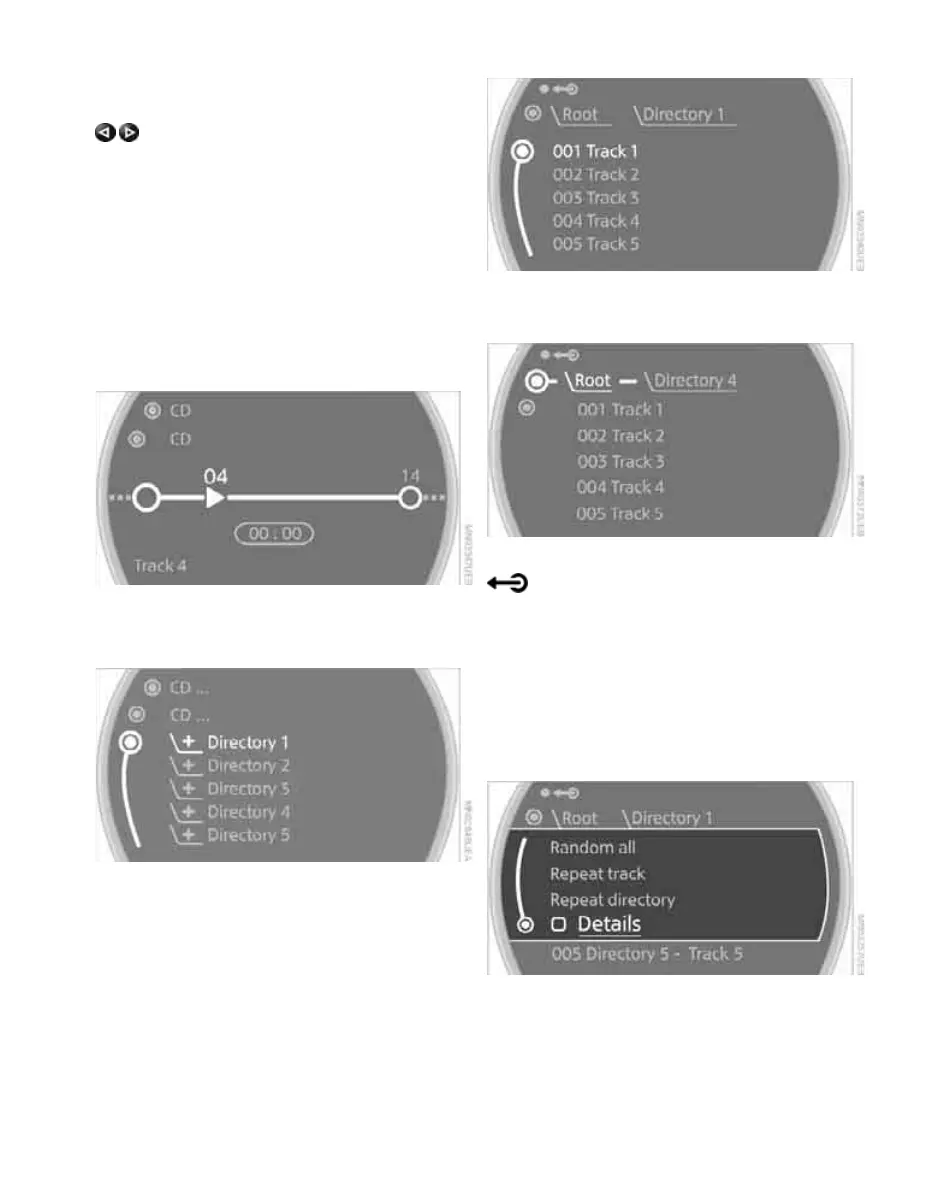
Selecting a track
Buttons on the CD player
Press the button for the desired direction
repeatedly until the desired track on the current
CD is reached.
Playback of the CD starts at the beginning of
the track. The track is displayed on the Control
Display.
You can also change the track using the buttons
on the steering wheel, page 11.
Using the onboard monitor
Turn the MINI joystick to select a track.
Compressed audio files*
1. Select the directory if necessary.
2. Select a track and press the MINI joystick.
To change the directory:
Select a directory and press the MINI joystick.
Exit the menu:
Select the arrow.
Displaying information about the track*
With compressed audio files, any information
about the current track that has been recorded
can be displayed, e.g. the name of the artist.
1. Press the MINI joystick.
2. Select "Details".
The information is shown for the current track.
The setting is stored for the remote control cur-
rently in use, refer to Personal Profile, page 26.
Online Edition for Part no. 01 41 2 602 955 - © 08/09 BMW AGOnline Edition for Part no. 01 41 2 602 955 - © 08/09 BMW AG



 To Next Page