MOBILITY AT A GLANCECONTROLSDRIVING TIPSENTERTAINMENT
147
NAVIGATIONREFERENCE
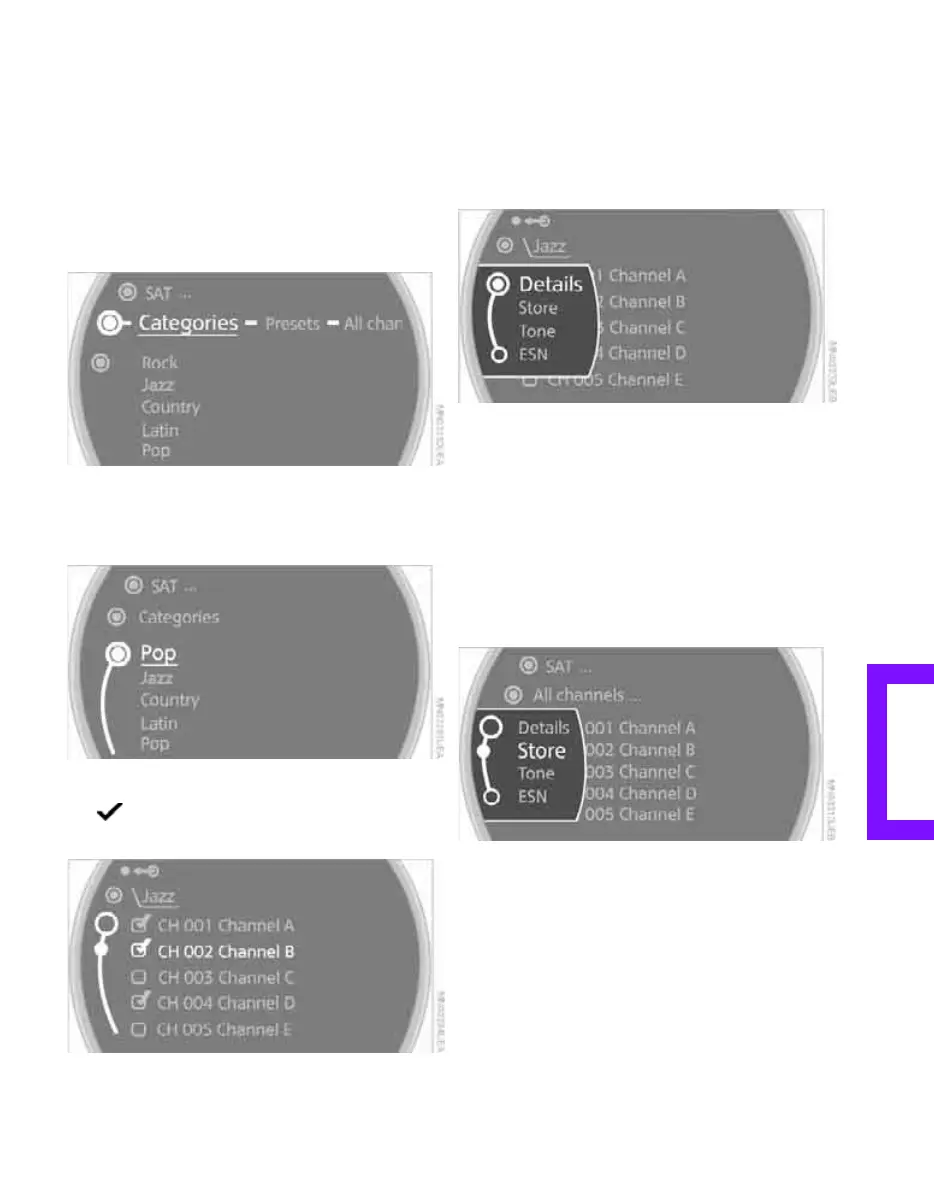
2. Select a menu item:
> "Presets":
Up to twelve channels you previously
stored.
> "All channels":
All channels are displayed.
> "Categories":
All channels, sorted by categories, e.g.
news, jazz.
3. Press the MINI joystick.
4. If "Categories" has been selected:
Select the desired category.
The channels of this category are displayed.
5. Select a channel marked with this
symbol.
6. Press the MINI joystick.
The selected station is played.
Additional information
1. Select a channel.
2. Select "Details".
The name of the channel and additional infor-
mation on the current track are displayed, e.g.
the name of the artist.
Storing a channel
1. Select the desired channel.
2. Press the MINI joystick.
Other menu items are displayed.
3. Select "Store".
"Presets" is displayed.
Online Edition for Part no. 01 41 2 602 955 - © 08/09 BMW AGOnline Edition for Part no. 01 41 2 602 955 - © 08/09 BMW AG



 To Next Page