Controls overview
64
1. If necessary, move the highlight marker to
the third field from the top.
2. Press the MINI joystick.
Other menu items are displayed.
3. Select the desired menu item.
> "Start"
> "Stop"
> "Reset"
Settings and information
Operating principle
Certain settings and information are only avail-
able when the ignition is switched on, the vehi-
cle is at a standstill and the doors are closed.
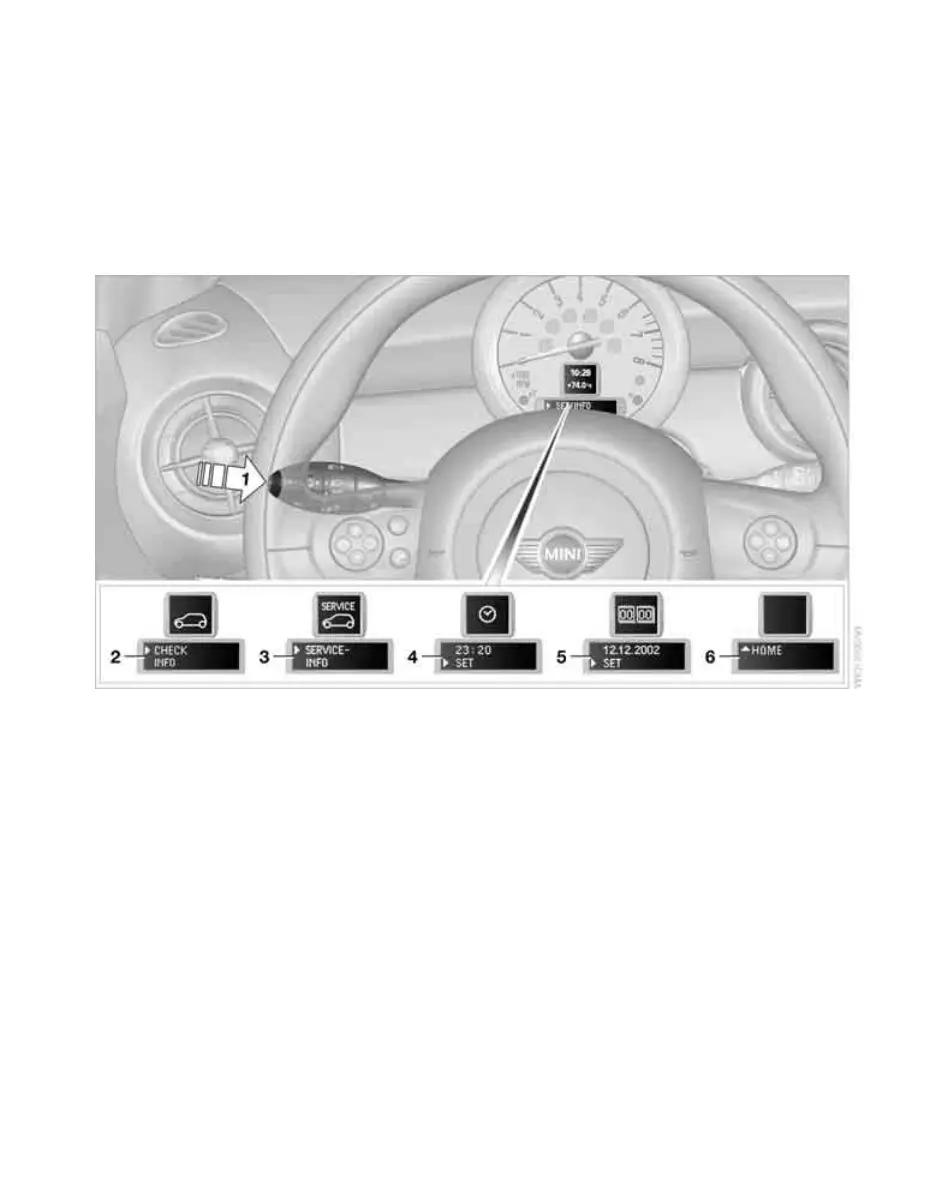
1 Button for:
> Selecting display
> Setting values
> Confirming selected display or set values
> Calling up computer information 61
2 Calling up Check Control 70
3 Displaying vehicle check 71
4 Setting the time 68
5 Setting the date 69
6 Exiting the menu
Online Edition for Part no. 01 41 2 602 955 - © 08/09 BMW AGOnline Edition for Part no. 01 41 2 602 955 - © 08/09 BMW AG



 To Next Page