MOBILITY AT A GLANCECONTROLSDRIVING TIPSENTERTAINMENT
65
NAVIGATIONREFERENCE
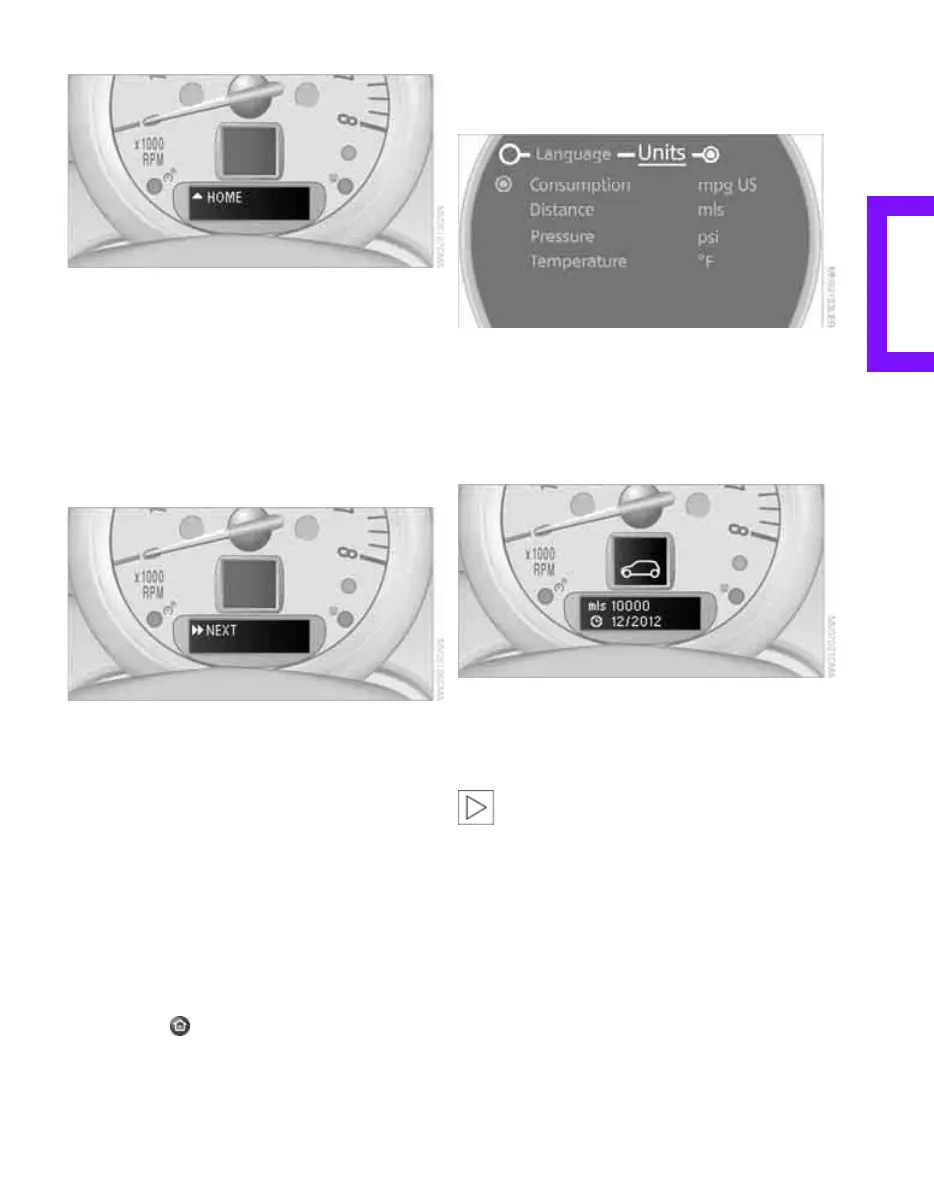
Exiting displays
1. Briefly press the button in the turn indicator
lever repeatedly until "HOME" is displayed.
2. Press the button for a longer period.
The display again shows the outside tempera-
ture and the time.
Displays are also exited if no entries are made
for approx. 8 seconds.
Next setting or item of information
1. Within a setting or item of information,
briefly press the button in the turn indicator
lever repeatedly until "NEXT" is displayed.
2. Press the button for a longer period.
The display changes directly to the next setting
or item of information.
Units of measure
To set the units of measure. The settings are
stored for the remote control currently in use,
refer also to Personal Profile on page 26.
1. Press the button.
This opens the start menu.
2. Move the MINI joystick to highlight "Setup"
and press the MINI joystick.
3. Select "Settings".
4. Select "Language / Units".
5. Select "Units".
6. Select the menu item to be set.
7. Select the desired unit of measure.
Service requirements
The remaining driving distance and the date of
the next scheduled service are briefly displayed
immediately after you start the engine or switch
on the ignition.
The extent of service work required can be
read out from the remote control by your
MINI dealer.<
Online Edition for Part no. 01 41 2 602 955 - © 08/09 BMW AGOnline Edition for Part no. 01 41 2 602 955 - © 08/09 BMW AG



 To Next Page