Onboard monitor
18
Changing between menu items
Press the button.
Pressing the button repeatedly opens the Com-
munication, Navigation and Entertainment
menu items in succession. The screen that was
last open is displayed.
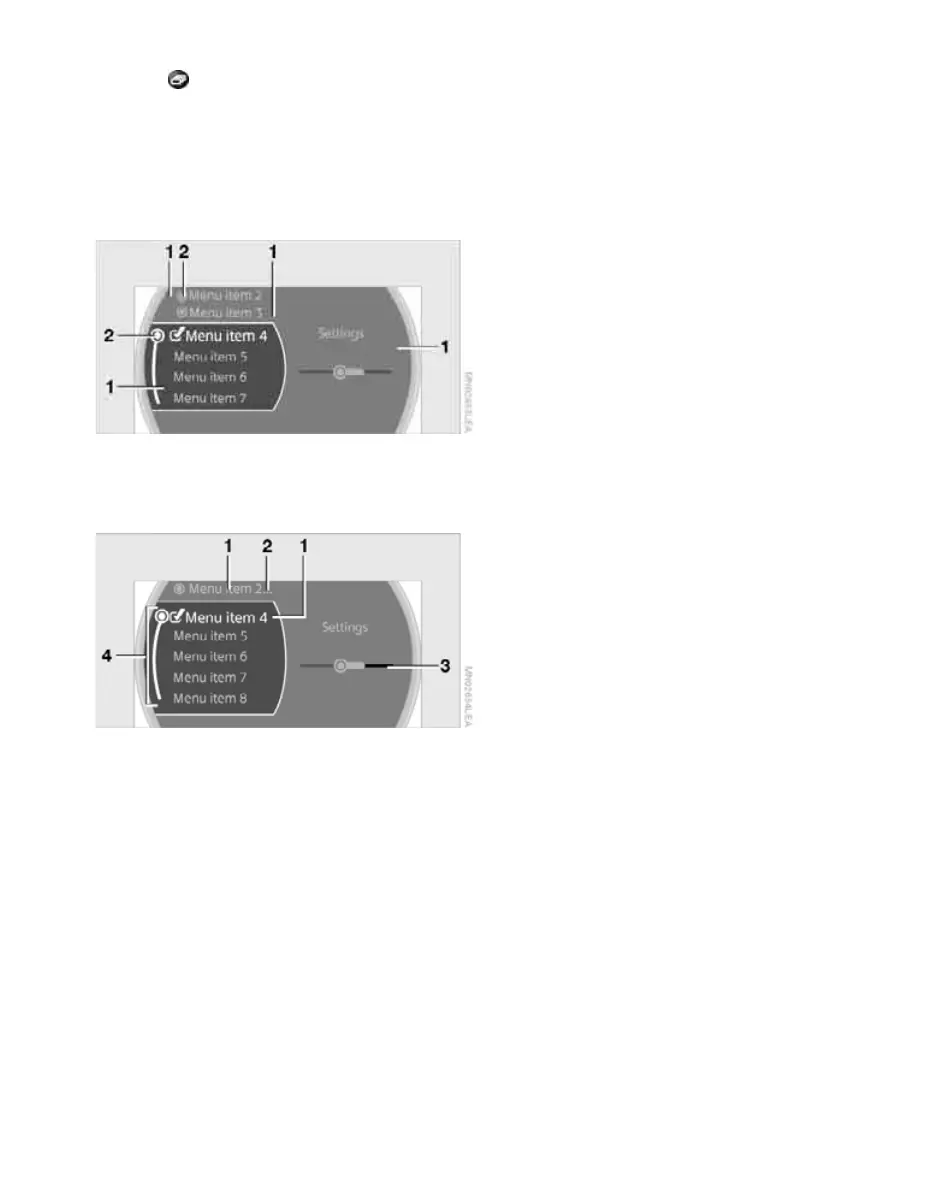
Displays in menu
1 Each menu is subdivided into fields.
2 White symbol: the field is active.
Gray symbol: the field is inactive.
1 Menu items are usually grouped in horizon-
tal or vertical lists.
2 Additional menu items can be selected in
this field.
3 Settings are represented graphically or as
numerical values.
4 A curved line shows that menu items can be
selected in lists. The beginning and end of a
list are each marked by a circle.
Online Edition for Part no. 01 41 2 602 955 - © 08/09 BMW AGOnline Edition for Part no. 01 41 2 602 955 - © 08/09 BMW AG



 To Next Page