braking at any time, and actively intervene
where appropriate.
Warning
Individual functions may not work correctly
when towing with Forward Collision Mitiga-
tion enabled or Cruise Control switched on.
There is a risk of accident. Switch off Forward
Collision Mitigation and Cruise Control before
towing.
Overview
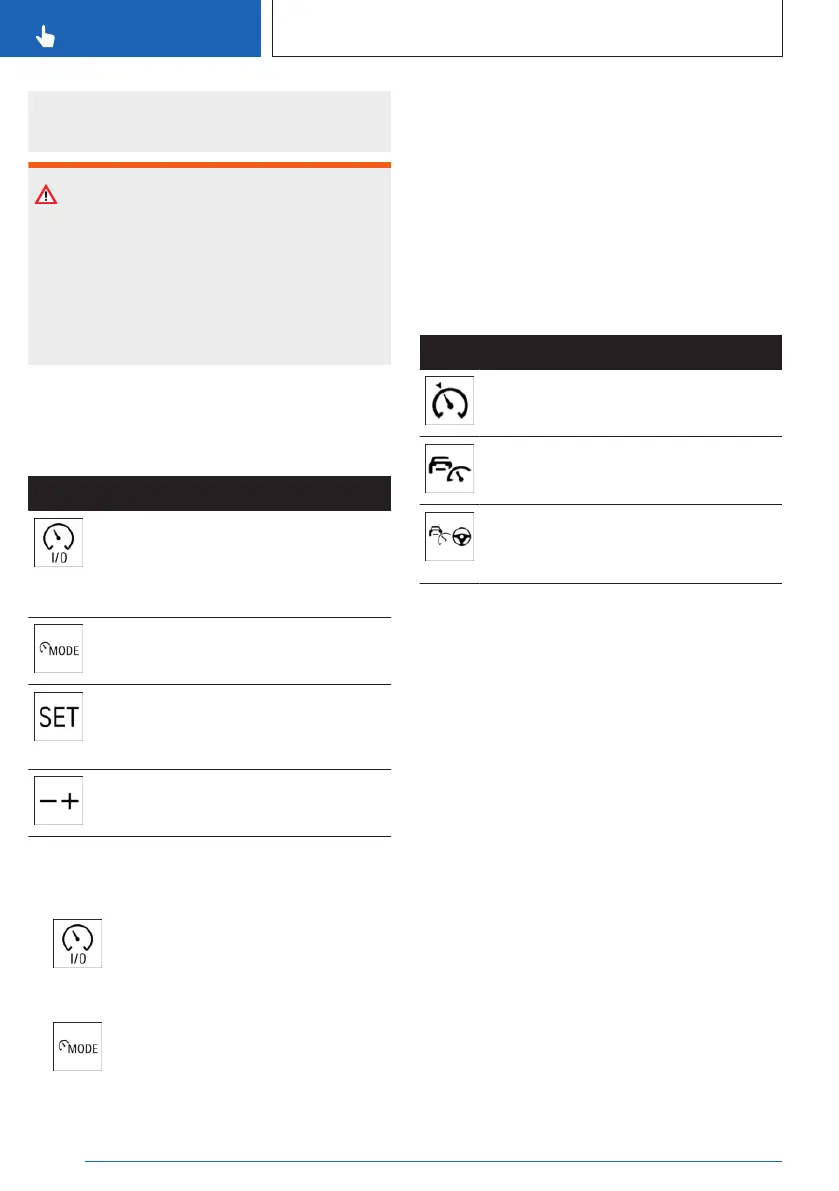
Buttons on the steering wheel
Button Function
Turn last active speed control sys-
tem on/off.
Interrupt and continue speed control
systems.
Select the desired speed control
system.
Store current speed.
Speed Limit Assistant: accept sug-
gested speed manually.
Set speed.
Turning on/selecting speed control
systems
1.
To activate the speed control sys-
tem, press the on/off button on the left side
of the steering wheel.
2. To select a different speed control
system while this system is active, repeat-
edly press the MODE button on the left of
the steering wheel until the desired system
is displayed on the toolbar on the instru-
ment cluster.
The system is shown in white when the sys-
tem can be activated.
The system is shown in green when it can be
activated.
The system is grayed out if the system has
failed or if the functional requirements are not
met.
Icon Speed control system
Cruise control.
Distance control.
Assisted Driving Mode: Dynamic
Cruise Control, Steering Assistance
with Lane Keeping.
Interrupting speed control systems
automatically
Depending on the system, speed control
systems are interrupted automatically, for in-
stance in the following situations:
▷
When changing from selector lever position
D to P, N, or R.
▷ While Dynamic Stability Control regulates
driving stability.
▷ While Dynamic Stability Control is disabled.
▷ "SPORT PLUS": Upon activating the in-
creased driving dynamics setting.
▷ When braking manually.
Interrupting speed control systems
manually
Speed control systems can be stopped man-
ually.
Seite 210
CONTROLS
Driver assistance systems
210
Online Edition for Part no. 01405A8A536 - VI/23



 To Next Page