If the image is distorted, check the basic set‐
tings.
Switching on/off
1. "Settings"
2. "Head-up display"
3. "Head-up display"
Switch the Head-up Display ON/OFF as re‐
quired.
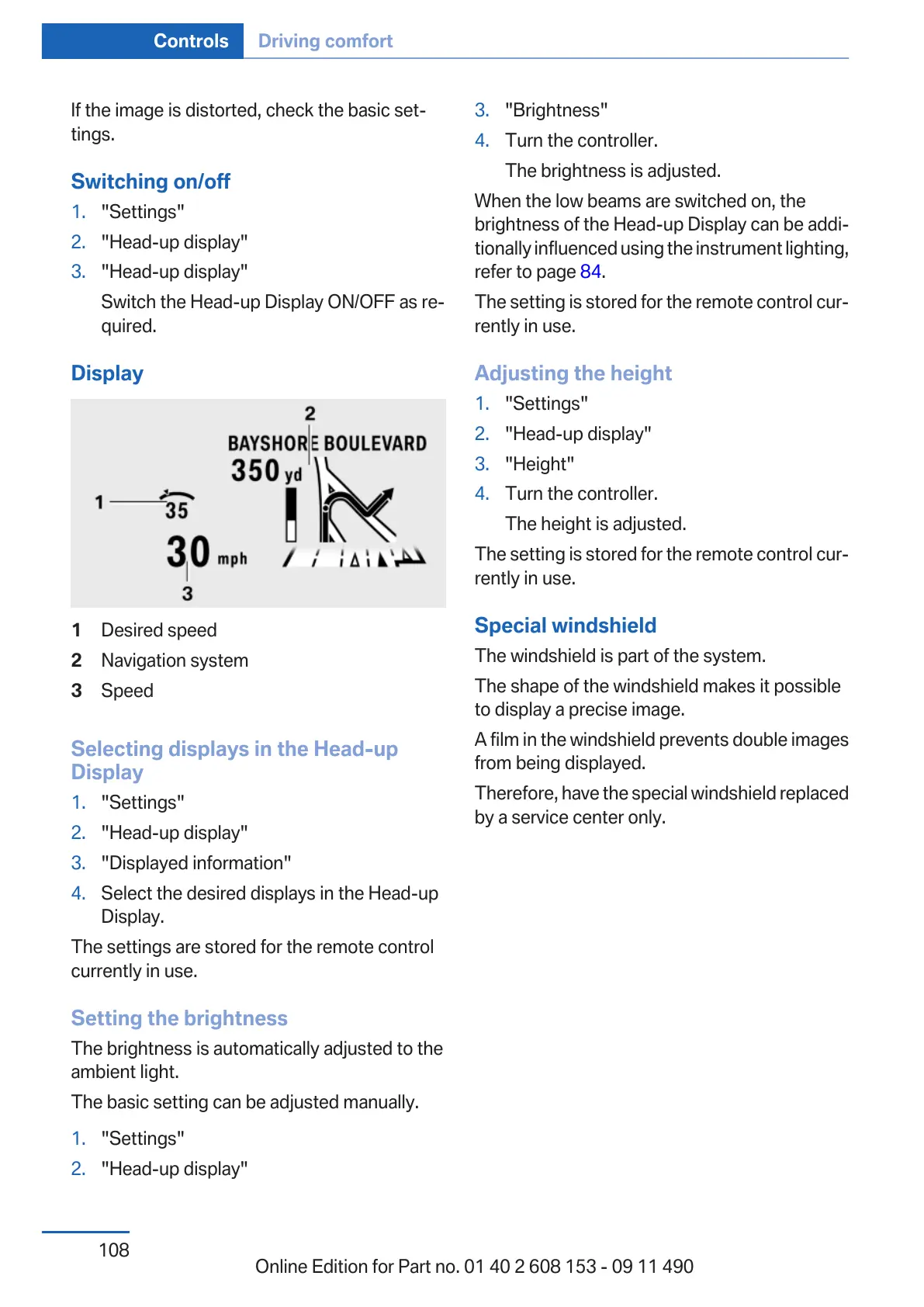
Display
1 Desired speed
2 Navigation system
3 Speed
Selecting displays in the Head-up
Display
1.
"Settings"
2. "Head-up display"
3. "Displayed information"
4. Select the desired displays in the Head-up
Display.
The settings are stored for the remote control
currently in use.
Setting the brightness
The brightness is automatically adjusted to the
ambient light.
The basic setting can be adjusted manually.
1.
"Settings"
2. "Head-up display"
3. "Brightness"
4. Turn the controller.
The brightness is adjusted.
When the low beams are switched on, the
brightness of the Head-up Display can be addi‐
tionally influenced using the instrument lighting,
refer to page 84.
The setting is stored for the remote control cur‐
rently in use.
Adjusting the height
1. "Settings"
2. "Head-up display"
3. "Height"
4. Turn the controller.
The height is adjusted.
The setting is stored for the remote control cur‐
rently in use.
Special windshield
The windshield is part of the system.
The shape of the windshield makes it possible
to display a precise image.
A film in the windshield prevents double images
from being displayed.
Therefore, have the special windshield replaced
by a service center only.
Seite 108
Controls Driving comfort
108
Online Edition for Part no. 01 40 2 608 153 - 09 11 490



 To Next Page