Installation position
In the center armrest.
Inserting the snap-in adapter
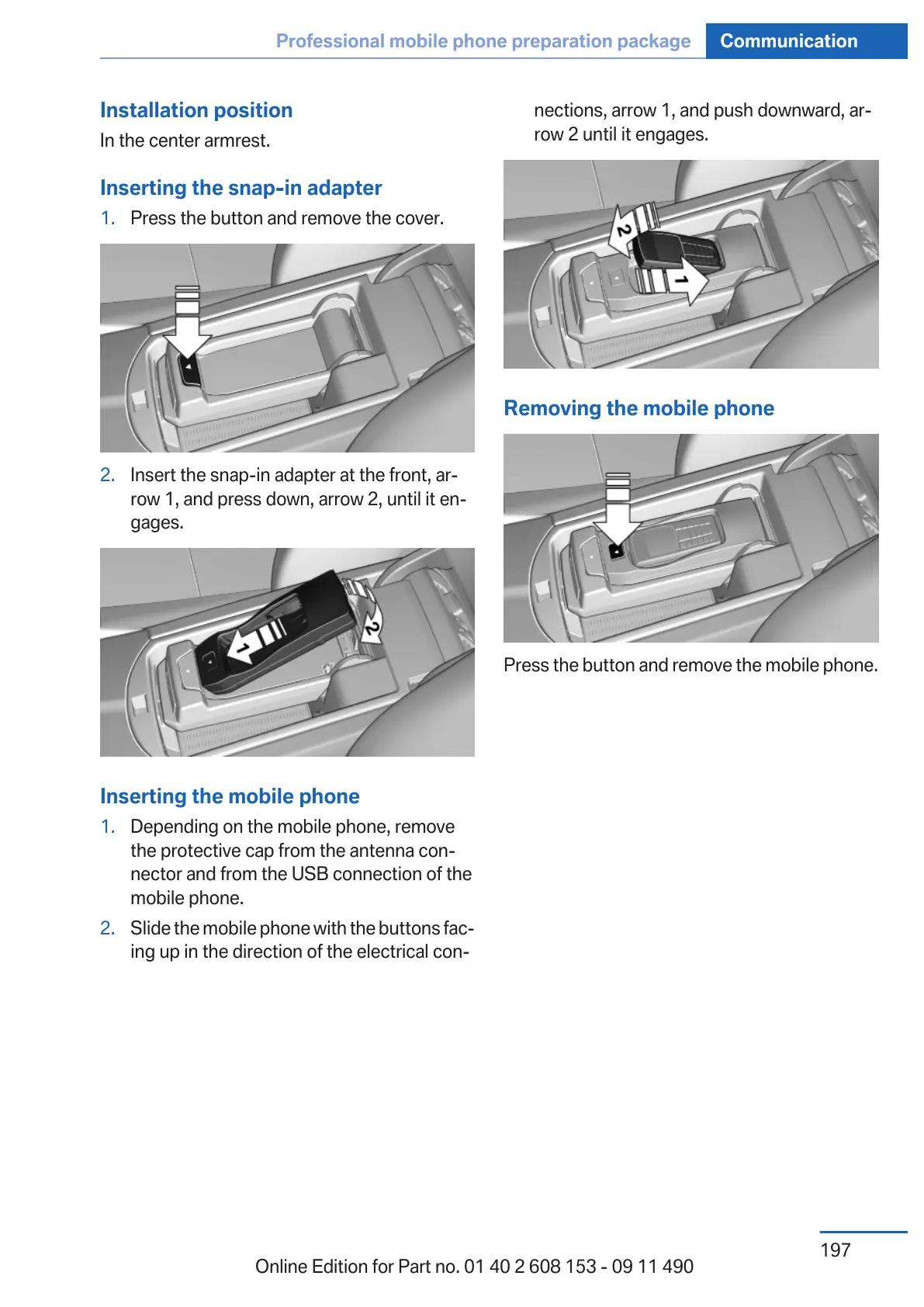
1. Press the button and remove the cover.
2. Insert the snap-in adapter at the front, ar‐
row 1, and press down, arrow 2, until it en‐
gages.
Inserting the mobile phone
1.
Depending on the mobile phone, remove
the protective cap from the antenna con‐
nector and from the USB connection of the
mobile phone.
2. Slide the mobile phone with the buttons fac‐
ing up in the direction of the electrical con‐
nections, arrow 1, and push downward, ar‐
row 2 until it engages.
Removing the mobile phone
Press the button and remove the mobile phone.
Seite 197
Professional mobile phone preparation package Communication
197
Online Edition for Part no. 01 40 2 608 153 - 09 11 490



 To Next Page