CD/DVD removal
1. Press the button.
The CD/DVD is partially ejected.
2. Remove the CD/DVD.
Audio playback
Selecting the track using the button
Press the button repeatedly until the
desired track is played.
Selecting the track using the iDrive
Audio CDs
Select the desired track to begin playback.
CDs/DVDs with compressed audio files
Depending on the data, some letters and num‐
bers of the CD/DVD may not be displayed cor‐
rectly.
1.
Select the directory if necessary.
To go up a level in the directory: move the
controller to the left.
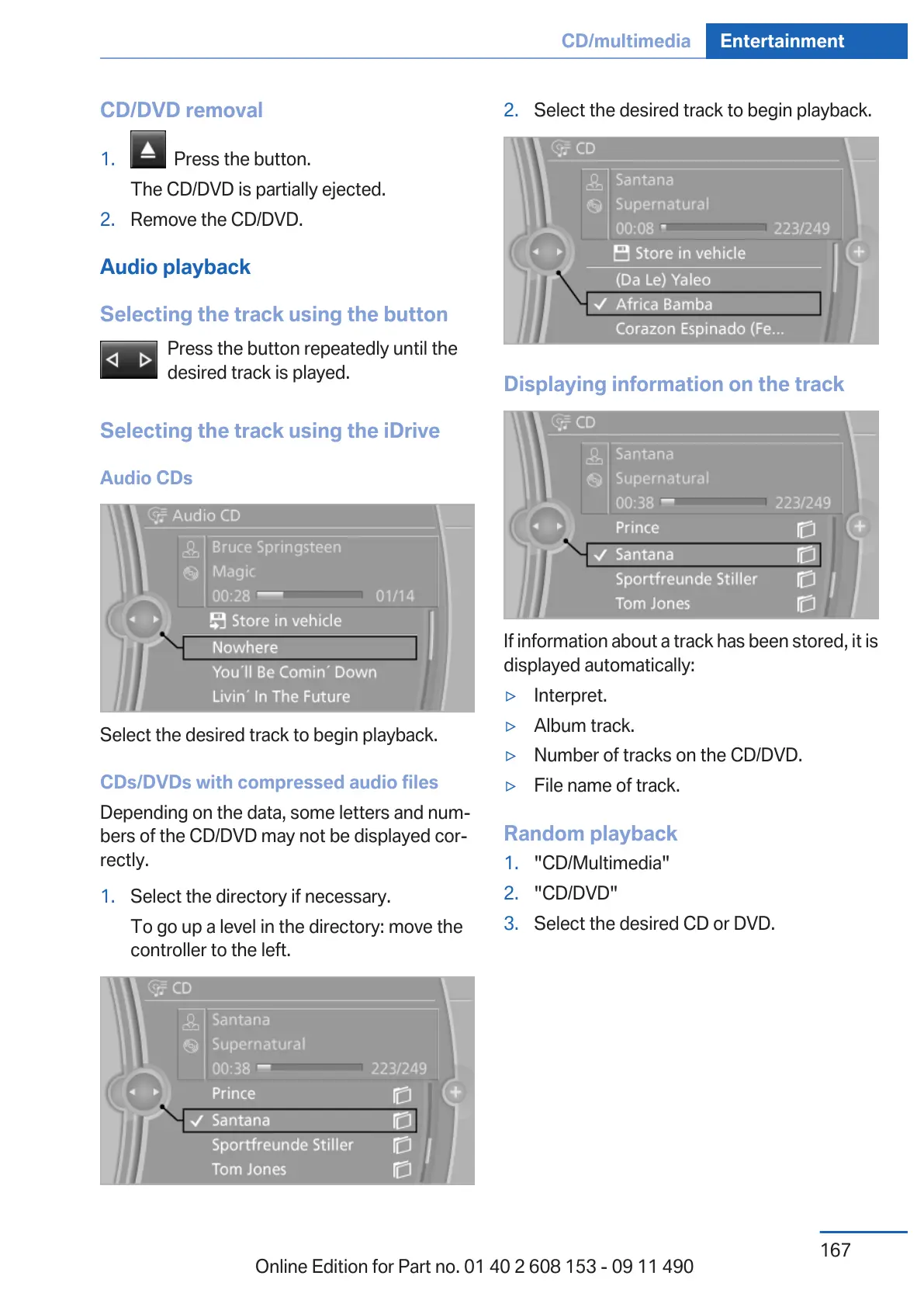
2. Select the desired track to begin playback.
Displaying information on the track
If information about a track has been stored, it is
displayed automatically:
▷ Interpret.
▷ Album track.
▷ Number of tracks on the CD/DVD.
▷ File name of track.
Random playback
1.
"CD/Multimedia"
2. "CD/DVD"
3. Select the desired CD or DVD.
Seite 167
CD/multimedia Entertainment
167
Online Edition for Part no. 01 40 2 608 153 - 09 11 490



 To Next Page