If pairing was successful, the device is displayed
as connected.
White symbol : the device is active as an audio
source.
If pairing was unsuccessful: What to do if..., refer
to page 184.
Connecting a specific device
A device that has already been paired can be
connected as an active audio source.
Connecting is not possible when data is ex‐
changed via a mobile phone connected via Blue‐
tooth.
Requirements
If necessary, activate the audio connection of
the desired device from the list of paired devi‐
ces.
1.
"CD/Multimedia"
2. "Bluetooth® (audio)"
3. If necessary, "Bluetooth® audio".
4. Select the desired device from the list of
paired devices.
5. "Options" Open.
6. "Configure phone"
7. "Audio"
8. "OK"
Connecting the device
1.
"CD/Multimedia"
2. "Bluetooth® (audio)"
3. If necessary, "Bluetooth® audio".
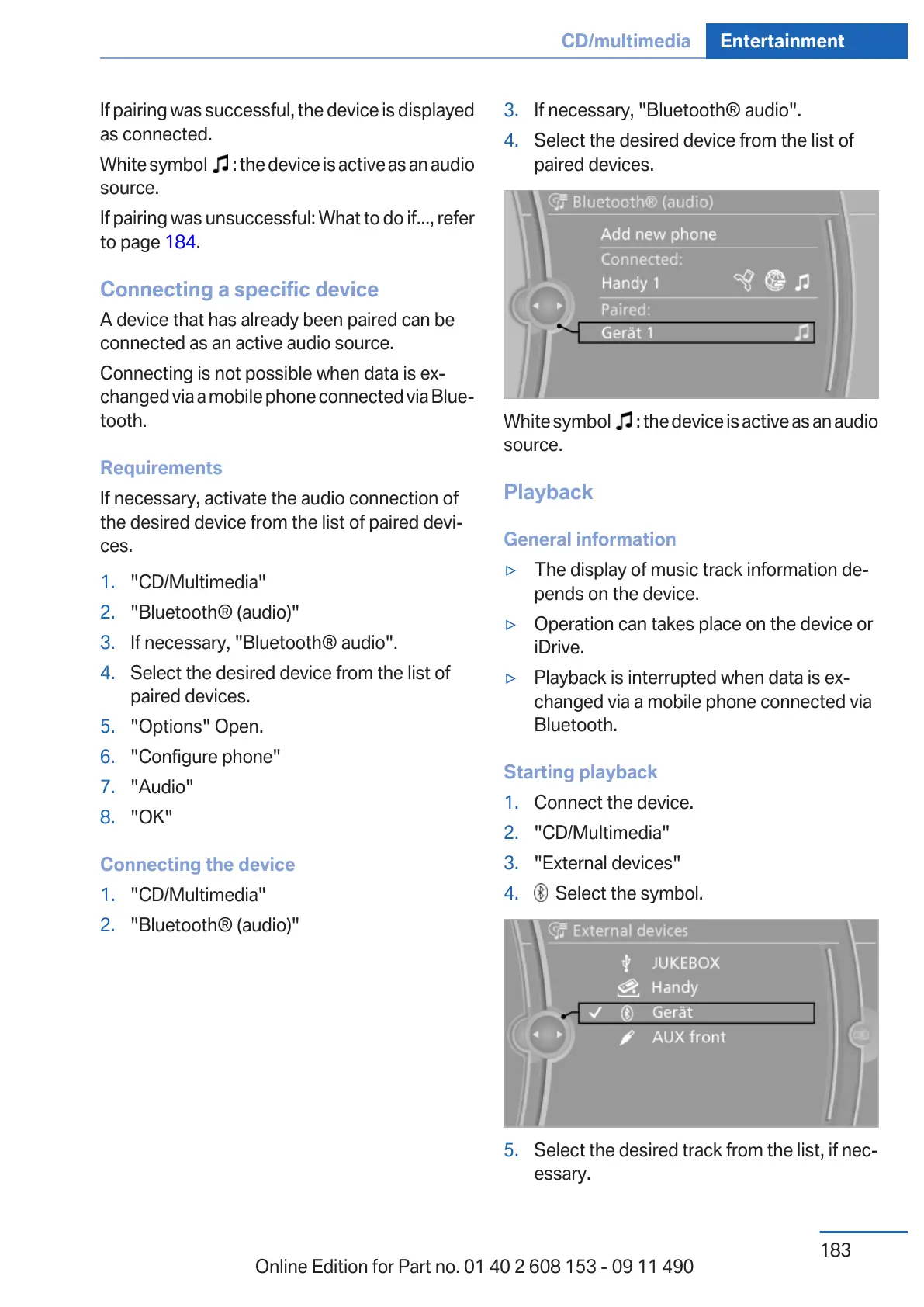
4. Select the desired device from the list of
paired devices.
White symbol : the device is active as an audio
source.
Playback
General information
▷ The display of music track information de‐
pends on the device.
▷ Operation can takes place on the device or
iDrive.
▷ Playback is interrupted when data is ex‐
changed via a mobile phone connected via
Bluetooth.
Starting playback
1.
Connect the device.
2. "CD/Multimedia"
3. "External devices"
4. Select the symbol.
5. Select the desired track from the list, if nec‐
essary.
Seite 183
CD/multimedia Entertainment
183
Online Edition for Part no. 01 40 2 608 153 - 09 11 490



 To Next Page