▷ "Configure SPORT mode"
▷ Configure the program.
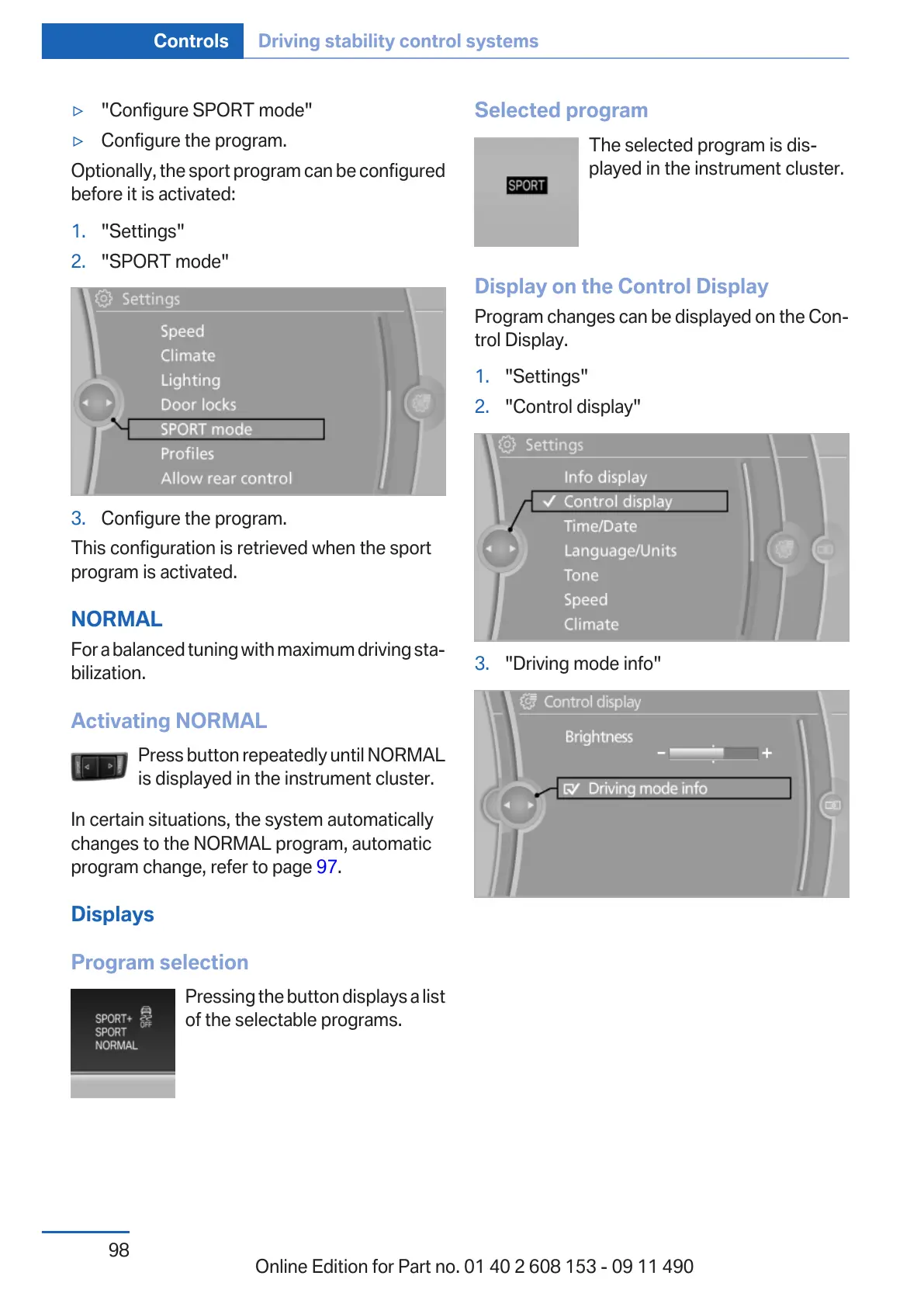
Optionally, the sport program can be configured
before it is activated:
1. "Settings"
2. "SPORT mode"
3. Configure the program.
This configuration is retrieved when the sport
program is activated.
NORMAL
For a balanced tuning with maximum driving sta‐
bilization.
Activating NORMAL
Press button repeatedly until NORMAL
is displayed in the instrument cluster.
In certain situations, the system automatically
changes to the NORMAL program, automatic
program change, refer to page 97.
Displays
Program selection
Pressing the button displays a list
of the selectable programs.
Selected program
The selected program is dis‐
played in the instrument cluster.
Display on the Control Display
Program changes can be displayed on the Con‐
trol Display.
1. "Settings"
2. "Control display"
3. "Driving mode info"
Seite 98
Controls Driving stability control systems
98
Online Edition for Part no. 01 40 2 608 153 - 09 11 490



 To Next Page