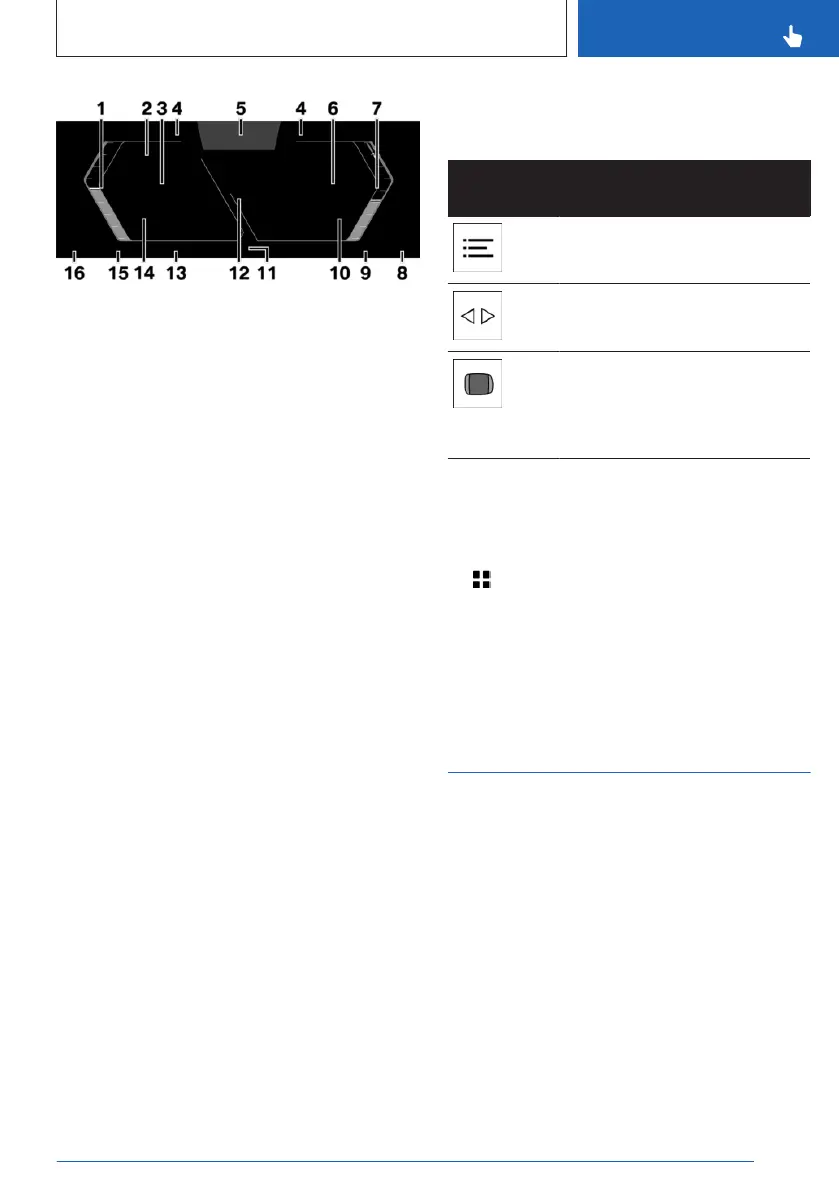
1 Speedometer
2 Driver assistance systems 221
Parking assistance systems 249
3 Digital speedometer 147
4 Shift lights 151
5 Driver Attention Camera 208
6 M Steptronic Sport transmission: gear dis-
play with Drivelogic 126
Gear shift indicator 148
7 Electric motor power gauge 148
Tachometer 149
8 Outside temperature 150
9 Electric range 149
10 State of charge indicator 149
11 Driving stability control systems 209
12 Central display range 151
Check Control 140
Selection lists 147
13 Speed Limit Info 221
Speed Limit Assistant 243
14 Fuel gauge 155
15 Range 149
16 Time 155
Additional information:
Indicator/warning lights, refer to page 140.
Operating elements on the steering
wheel
Operating
element
Function
Display the menu bar on the
instrument cluster.
Press the corresponding arrow
key to move the selection.
Turn knurled wheel: scroll se-
lection up or down.
Press knurled wheel: confirm
selection.
Settings
Specific displays can be configured individu-
ally, e.g., a second actual speed.
1.
Apps menu
2. "Vehicle"
3. "Displays"
4. "Instrument cluster"
5. Select the desired setting.
Live Vehicle
Principle
Live Vehicle is a virtual representation of your
own vehicle with different information, e.g., ve-
hicle status or energy flow indicators.
General information
Appropriate information is shown on the con-
trol display depending on the driving situation.
Fault statuses are not taken into account.
Seite 137
Displays
CONTROLS
137
Online Edition for Part no. 01405A8A608 - VI/23



 To Next Page