Controls and Indicators
Bobcat 2200 Gasoline and Diesel Vehicle Operation & Maintenance Manual Page 15
ACCELERATOR PEDAL
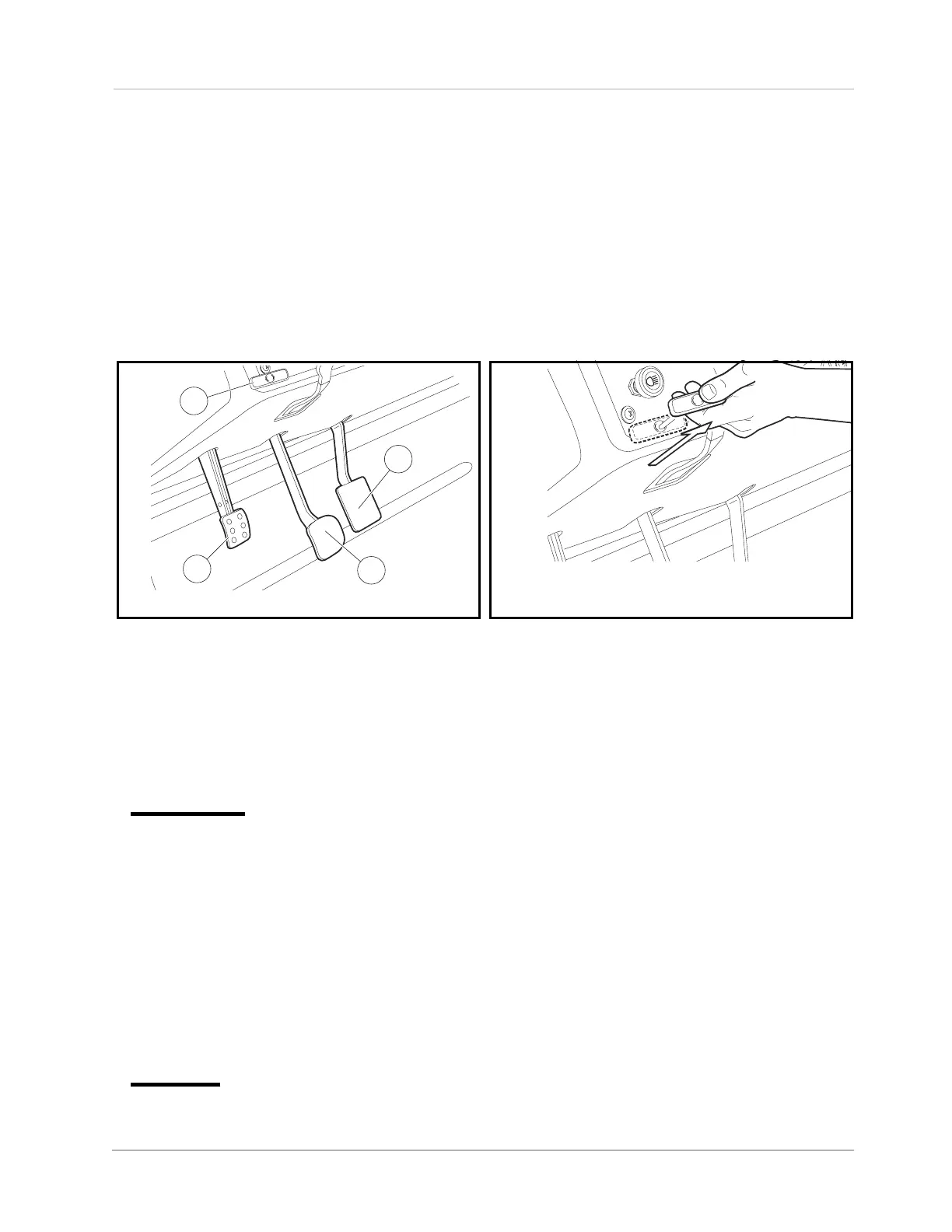
The accelerator pedal (1) is the pedal on the right (Figure 6).
With the engine running and the Forward/Reverse handle in the FORWARD or REVERSE position, vehicle
speed will increase as the accelerator pedal is pressed. When the accelerator pedal is released, it will return
to the original position and the engine will idle. See WARNING and CAUTION on page 13.
BRAKE PEDAL
The brake pedal (2) is located to the immediate left of the accelerator pedal (Figure 6). To slow or stop the
vehicle, press the brake pedal.
PARK BRAKE
The park brake pedal (3) is located to the left of the brake pedal (Figure 6). To engage the park brake, first
apply pressure to the brake pedal, then firmly press the park brake pedal until it latches into place. To disen-
gage, pull the park brake release handle (Figure 7). See following WARNING.
ý WARNING
• The park brake has multiple locking positions and should be firmly locked to prevent the
vehicle from rolling.
LOW OIL WARNING LIGHT
The low oil warning light (8) is located on the instrument panel just to the left of the steering column (Figure 4
or Figure 5). If the warning light comes on, oil should be checked and added to the engine as necessary
before continuing to use the vehicle. The vehicle should never be driven when the low oil warning light
remains on. If the warning light goes on and off, the vehicle may be driven, but oil should be added at the first
opportunity. If the oil level is correct and the warning light stays on, have a trained technician check the vehi-
cle. See following CAUTION.
CAUTION
• Failure to add oil immediately when the low oil warning light stays on may result in permanent
engine damage.
Figure 6 Pedals Figure 7 Park Brake Release
1
2
3
4
P
P
P



 To Next Page