Circumstance 2:
The lens is on the side of the screen, at this time,
the image is flipped, enter the menu setting and
set the Image Rotation option to On, then a correct
direction image shows up.
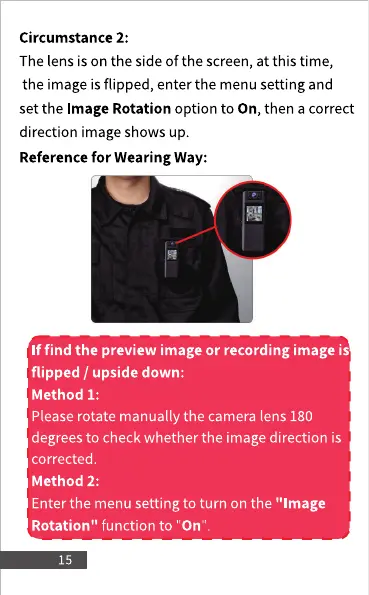
Reference for Wearing Way:
If find the preview image or recording image is
flipped / upside down:
Method 1:
Please rotate manually the camera lens 180
degrees to check whether the image direction is
corrected.
Method 2:
Enter the menu setting to turn on the "Image
Rotation" function to "On'
15



 To Next Page