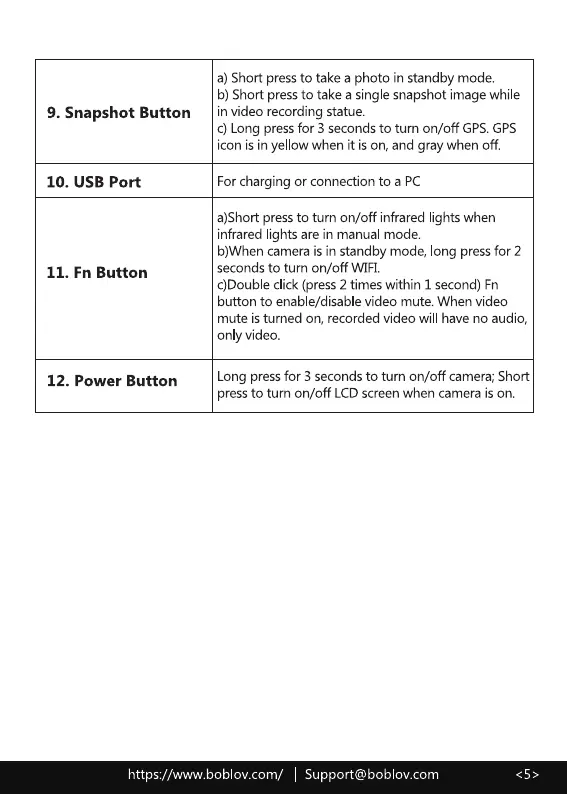
9. Snapshot Button
10. USB Port
II. Fn Button
12. Power Button
a) Short pressto take a photo in standby mode.
b) Short pressto take asingle snapshot image while
in video recording statue.
c) Long pressfor 3 secondsto turn on/off GPS.GPS
icon is in yellow when it ison, and gray when off.
Forcharging or connection to a PC
a)Shott pressto turn on/off infrared lights when
infrared lights are in manual mode.
b)When camera is in standby mode, long pressfor 2
seconds to turn on/off WIFL
c)DoubIe click (press 2 times within 1 second) Fn
button to enable/disable video mute. When video
mute is turned on, recorded video will have no audio,
only video.
Long pressfor 3 secondsto turn on/off camera;Short
pressto turn on/off LCDscreenwhen camera is on.
https://www.boblov.com/ I Support@boblov.com



 To Next Page