3.7. Review videos / pictures on PC
Connect the camera to a computer, you can accesscamera folder directly.
Videos / pictures are stored in DCIM.
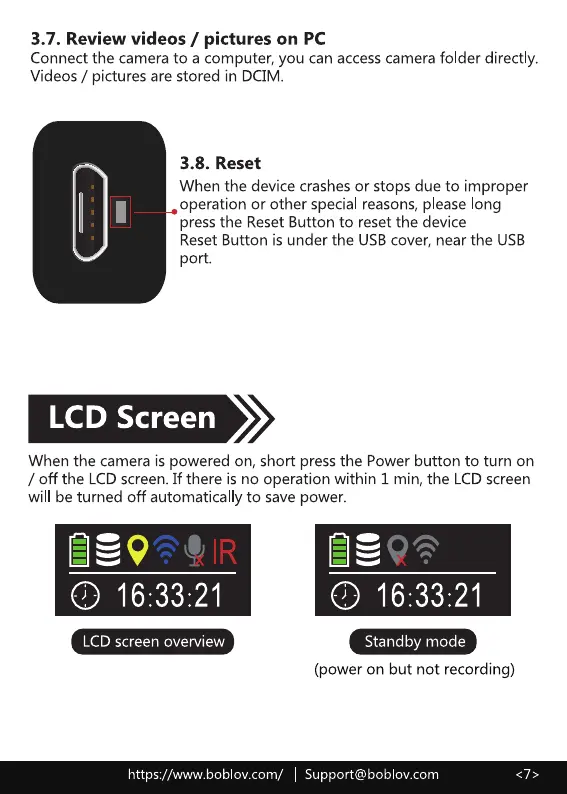
3.8. Reset
When the device crashes or stops due to improper
operation or other special reasons, please long
press the Reset Button to reset the device
Reset Button is under the USB cover, near the USB
port.
LCD Screen
When the camera is powered on, short press the Power button to turn on
/ off the LCD screen. If there is no operation within I min, the LCDscreen
will be turned off automatical y to save power.
LCD screen overview
Standby mode
(power on but not recording)
https://www.boblov.com/ I Support@boblov.com



 To Next Page