Connect to Computer
Connect to the computer by the USB cable
attached (Or just read the card using the card
reader on the computer)
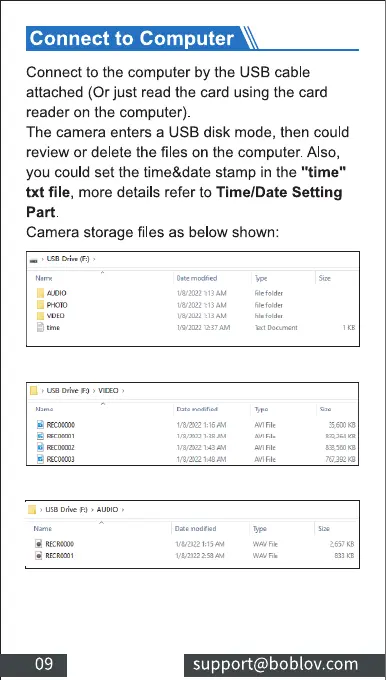
The camera enters a USB disk mode, then could
review or delete the files on the computer. Also,
you could set the time&date stamp in the "time"
txt file, more details refer to Time/Date Setting
part.
Camera storage files as below shown:
L. AL-oto
*corm
g *oxal I
use
09
1.82122
mod r "
support@boblov.com



 To Next Page