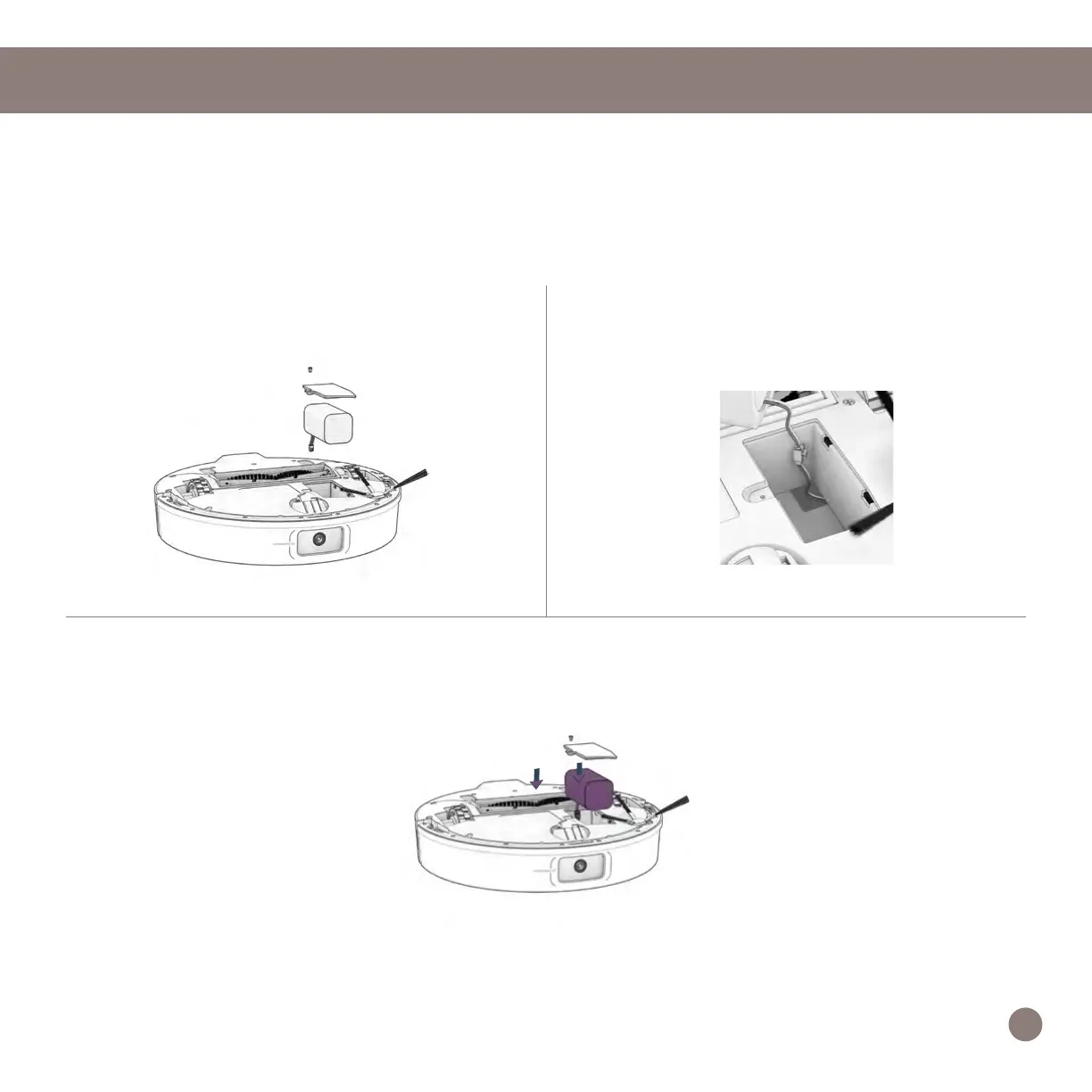
Battery
Power OFF UltraVision before replacing the battery. Press and hold the GO button.
1. Use a Phillips head screwdriver to open
the battery compartment.
2. Unplug the old battery and plug in your
new one.
3. Slide the new battery into UltraVision.
Maintenance
Important Note: High power mode exponentially increases UltraVision’s battery use. Use low power
mode to reduce power usage on UltraVision.
24














 To Next Page