17
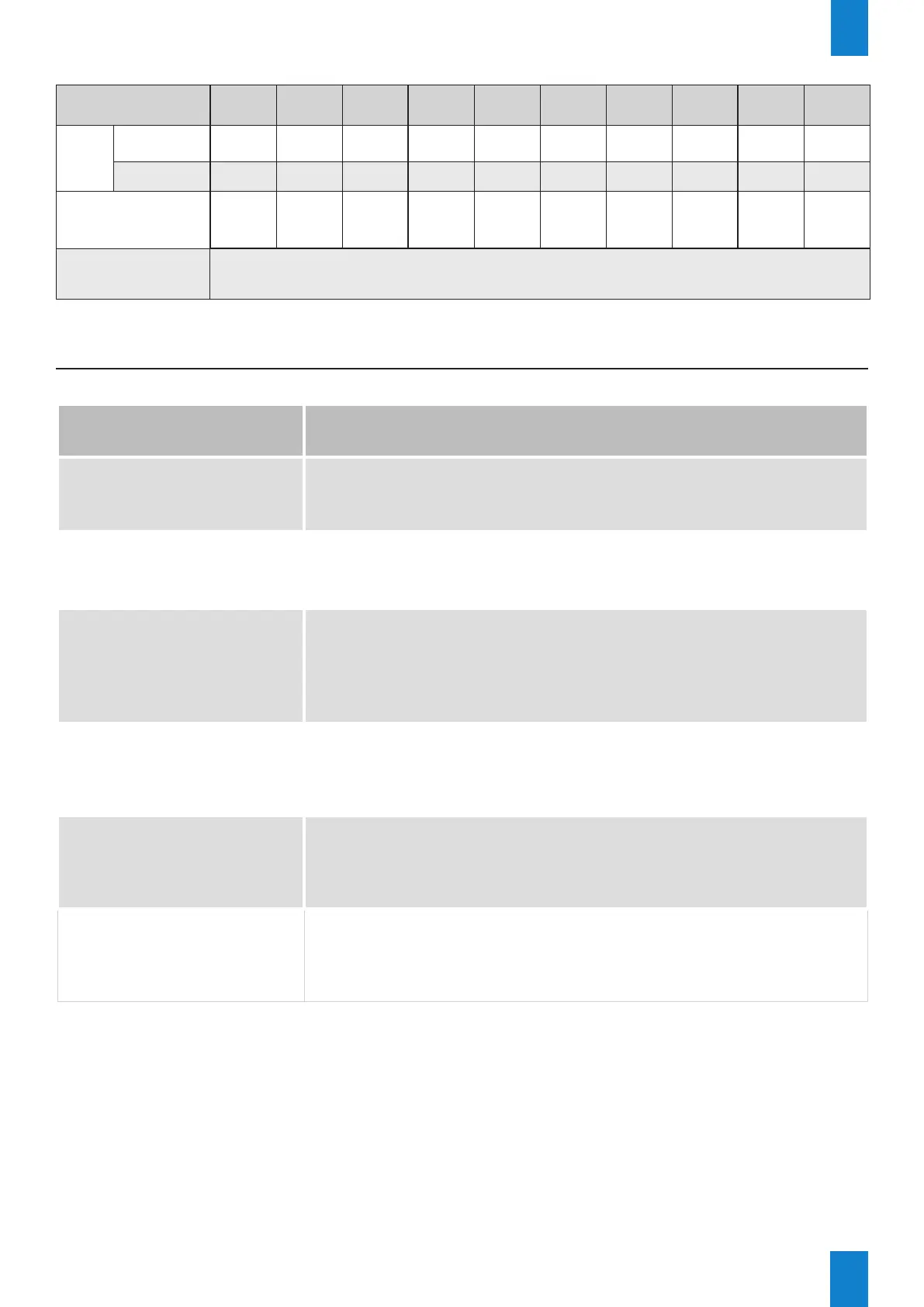
LED lines - consumption
No. of digits x Sizes
(cm)
3 x 20 3 x 25 3 x 30 4 x 15 4 x 20 4 x 25 4 x 30 4 x 42
3 x 25 +
1 x 20
3 x 30 +
1 x 20
Consumption
(W)
LED line, red,
yellow or green
13.5 17.5 21.5 12 17.5 23 28.5 39 22 26
LED line white 24.5 32.5 40.5 22 32.5 43 53.5 75 40.5 48.5
No. of LEDs per line
(decimal point
included)
256 340 424 172 340 452 564 788 424 508
Electrical power supply
module
Power supply from the Karbu Link CPU board
V – FAQ
What do I do if...? Check that...
The price of a line is not
displayed?
- The at ribbon cable of the line has not become unplugged.
- The setting for the number of lines in the technician menu
matches the installation.
The price is not displayed
on the last digit of each
line?
- The setting for the price format in the technician menu matches
the installation.
The keypad is not working?
- The batteries have been correctly installed.
- The keypad pairing procedure has been completed.
- The reception antenna has been correctly connected to the CPU
control board.
- The communication distance does not exceed 100 metres.
For double-sided petrol
price signs, the display is
dierent on either side?
- Turn o the Karbu Link power, then turn it on again. Input the
prices again from the keypad.
The price lines do not light
up even though the Karbu
Link is powered up?
- The Karbu Link is powered up: the green LED on the CPU control
board must be switched on (Cf. page 10.)
- The power supply module has gone into protective mode: turn o
the power supply for 2-3 minutes then turn it back on.
The brightness of the price
display is not appropriate?
- The brightness adjustment in the Technician menu is appropriate
(LUM)
EN



 To Next Page