SH042-1 User Manual for BodiTrak LT V1.5, 25 Jan 2019
11
BodiTrak Technical Support: 800-847-3157
The image can be located by going to the BodiTrak LT home page and selecting
the File Manager icon. You can delete or export snapshots by selecting an
image and tapping either button. Exporting the image sends it to the tablet’s
document folder.
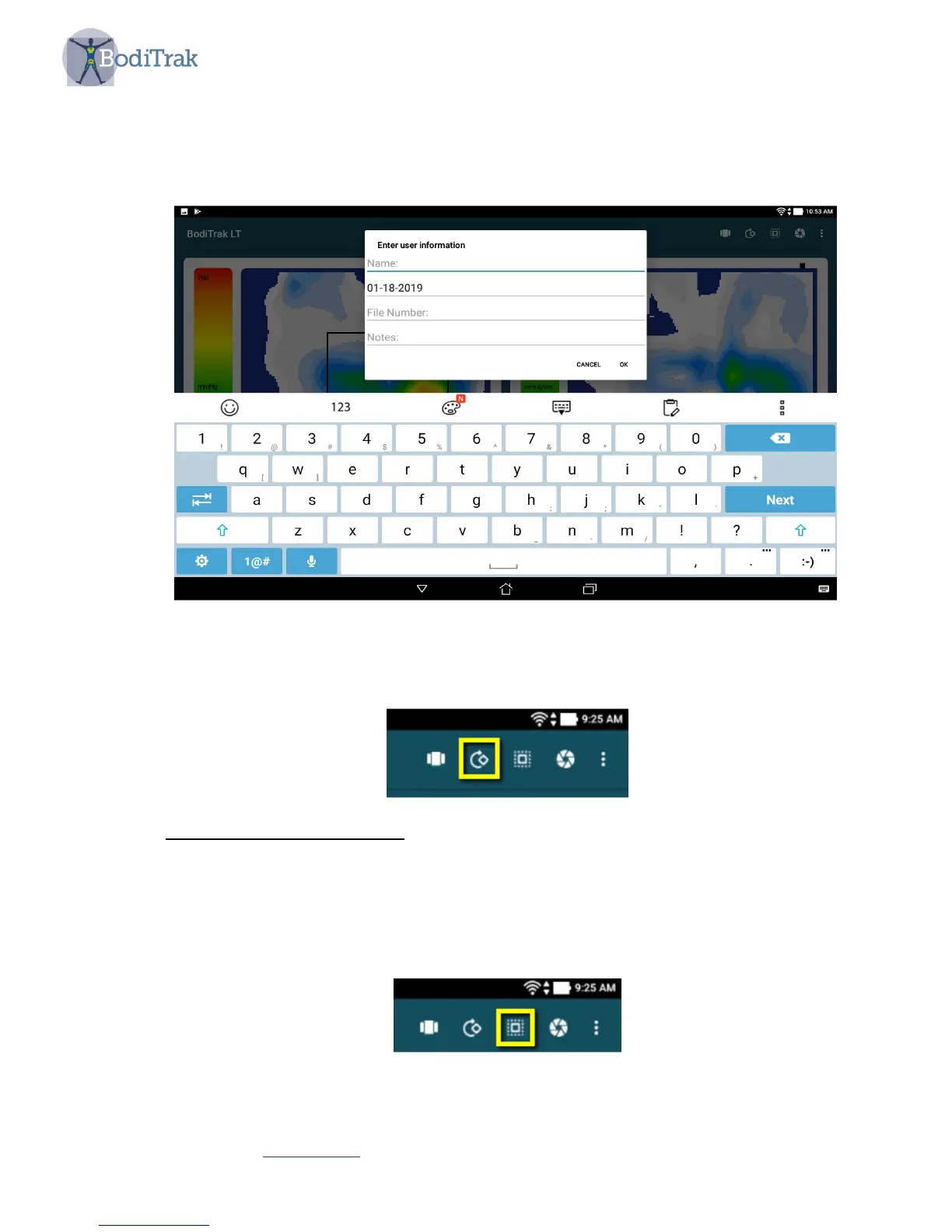
Figure 4 – entering user information
• A circular arrow icon which will rotate the view of the mat 180 degrees.
5.5.2 Multiple Comparison Mode
The Multiple Comparison is a comparison tool for considering solutions to seating
issues. A series of up to four images are taken in sequence to allow for side by side
comparison.
To begin the comparison wizard click the “square in a square” icon as shown in
Figure 5.
Figure 5 – Square in a square icon



 To Next Page