SH042-1 User Manual for BodiTrak LT V1.5, 25 Jan 2019
12
BodiTrak Technical Support: 800-847-3157
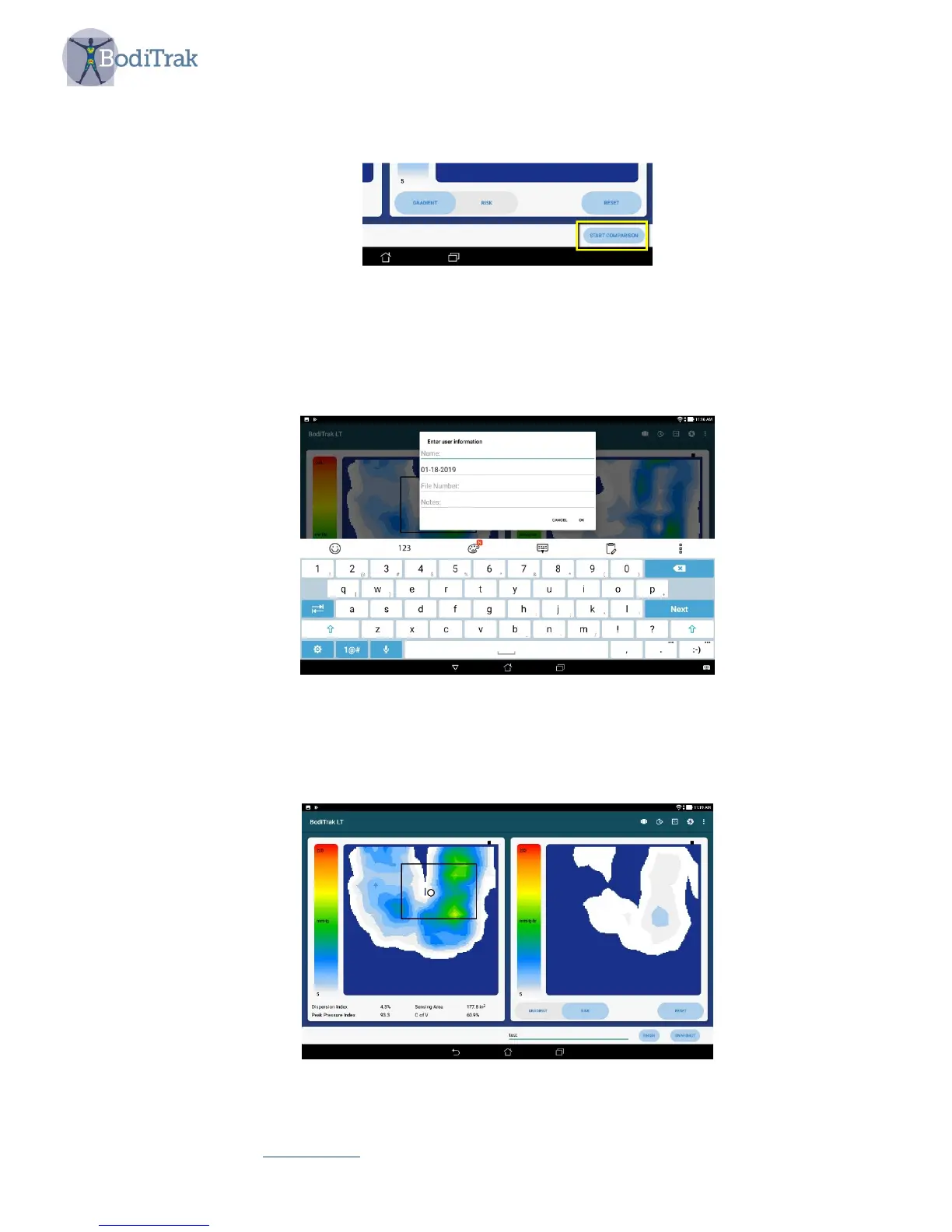
A ‘Start Comparison’ button will appear on the bottom right of the screen as shown
in Figure 6.
Figure 6 – Multiple Comparison user interface
When the Start Comparison button is touched an information dialogue box will
appear as shown in Figure 7. This will allow the user to input relevant data to
identify the images later.
Figure 7 – User information dialogue box
When the user information is entered and OK is selected, the scan page returns,
as shown in Figure 8.
Figure 8 – Multiple Comparison page



 To Next Page