Servicing and maintenance 6.2
Performing maintenance work between fixed servicing intervals
Page 64 BOGE Operating instructions for scroll compressors, series EO 6...EO 22 D
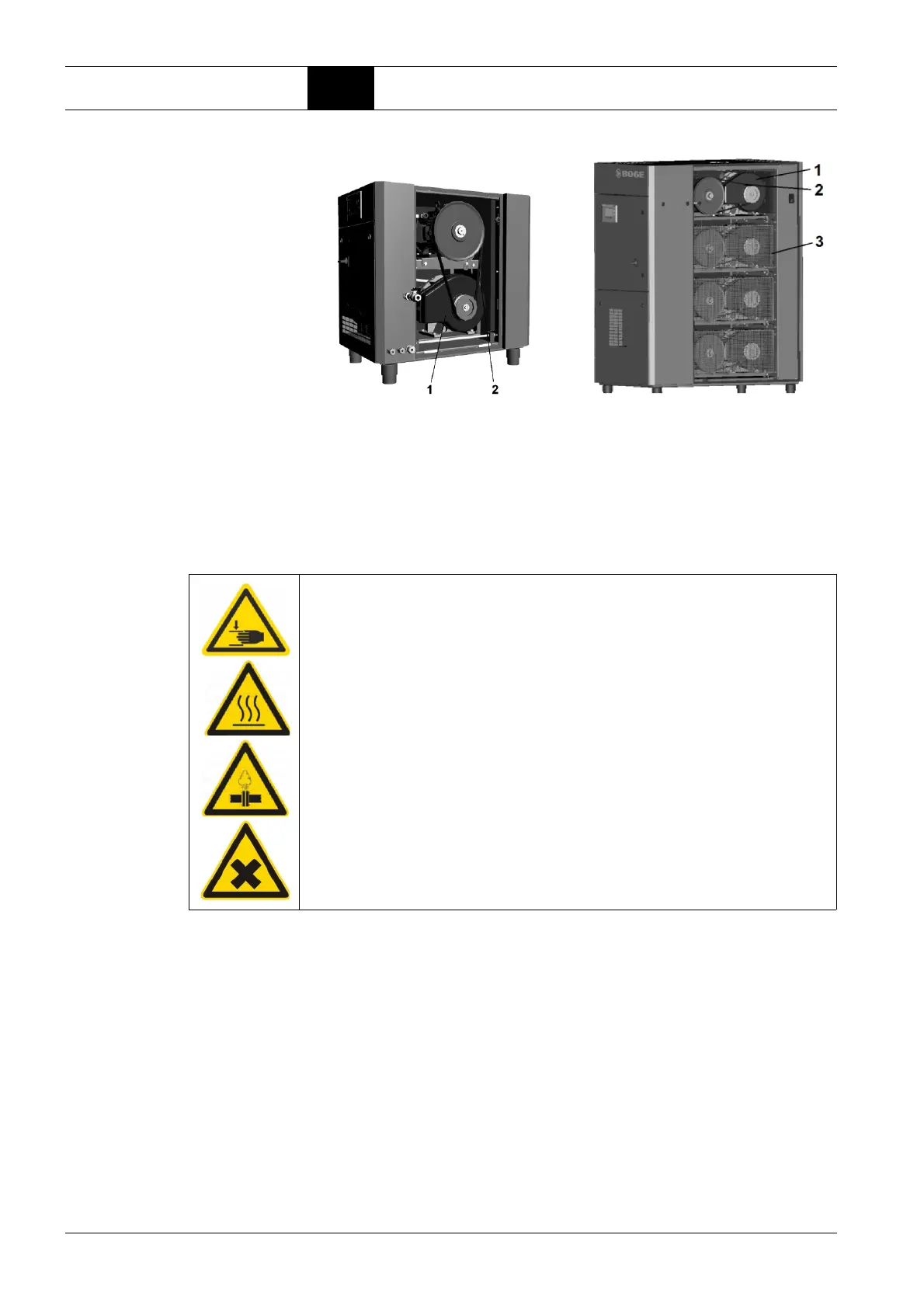
Fig. 6.8: View of the right side of the EO 6 (left) and EO 11...22 scroll unit hous-
ing
1 Fan cover
2 V-belt
3 Protective equipment
1. Switch off the compressor using the OFF button.
5. Remove the right side panel of the housing and the isolating protective
equipment (3).
6. Remove the V-belts (2).
7. Loosen the screws on the scroll compressor fan covers (1) and remove
the covers.
8. Check the fans and clean if necessary.
After the maintenance work has been completed:
9. Refit all removed safety claddings, covers and housing panels.
10. Prior to switching on again, ensure that nobody else is still working on the
compressor.
11. Only then may the warning sign be removed and the mains disconnecting
device switched back on again.
WARNING
Risk of injury due to sharp edges, hot surfaces, overpressure and
exposure to dust!
This maintenance work should only be carried out by authorised and quali-
fied personnel.
Î Wear PPE.
Prior to the maintenance work:
2. Open the mains disconnecting device and secure it to prevent it being
switched on again.
3. Allow all hot compressor components to cool to 50°C.
4. Depressurise the system.



 To Next Page