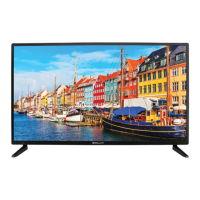
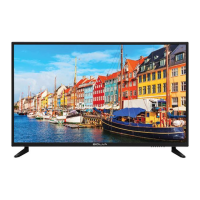
This document is the user manual for the BOLVA 40BV19 40" Full HD Television.
Function Description
The BOLVA 40BV19 is a 40-inch Full HD Television designed for home entertainment. It features a built-in tuner for receiving broadcast channels, multiple input options for connecting various external devices, and a user-friendly interface for adjusting picture, audio, and system settings. The TV supports both analog and digital signals, including high-definition content. It can be used with cable/satellite boxes, DVD/Blu-ray players, gaming consoles, personal computers, and home theater systems. The television also includes USB modes for viewing photos and listening to music from external USB storage devices, and MHL (Mobile High-Definition Link) connectivity for compatible smartphones and tablets.
Important Technical Specifications
- Display Type: FHD LED
- Size (inch): 40" Diagonal
- Aspect Ratio: 16:9
- Digital Compatibility: 480i/480p/576i/576p/720p/1080i/1080p
- Resolution: 1920x1080
- Brightness (cd/m2): 200
- Dynamic Contrast Ratio: 5000:1
- Vertical Viewing Angle (degrees): 178°
- Horizontal Viewing Angle (degrees): 178°
- Maximum Colors (millions): 16.7M
- Power Consumption: 90 W
- Audio Power: 2 x 8W
- Dimension without Stand: 35.8" (W) x 20.7" (H) x 3.2” (D)
- Weight (may vary ± 10%): 17.0lbs
- Input Connections:
- Composite Video (1)
- Y Pb Pr (Component Video) (1)
- HDMI (3) (one with ARC, one with MHL)
- TV (RF Coaxial) (1)
- SPDIF Digital Audio Output (1)
- PC/VGA (1)
- PC Audio IN (1)
- Headphone Jack (1)
- USB (1)
- VESA Mounting Pattern: 200x200
Usage Features
The BOLVA 40BV19 offers a comprehensive set of features for an enhanced viewing and listening experience:
- Remote Control: A full-function remote control is included, allowing users to power on/off, change channels, adjust volume, select input sources, access menus, and control various settings. It also includes dedicated buttons for display information, play/pause, previous/next, stop, repeat (for USB), channel list, guide, favorites, freeze, picture modes, color temperature, exit, return, sleep timer, aspect ratio, last channel, mute, audio options, MTS (Multi-channel Television Sound), and CCD (Closed Caption Display).
- Initial Setup Wizard: Guides users through the initial setup process, including selecting preferred picture settings, antenna options, and performing an auto scan for broadcast channels.
- Picture Settings: Users can customize picture quality with options for Brightness, Contrast, Color, Tint, Sharpness, and Color Temperature (Cool, Normal, Warm). Pre-set picture modes like EnergySaving, User, Standard, Dynamic, and Mild are also available.
- Audio Settings: Provides sound enhancements with options for Sound Mode (Standard, Music, Movie, User), Bass, Treble, Balance, Surround Sound (Off/On), SPDIF Type (RAW/Off/PCM), and Audio Languages. It also supports MTS for second audio channels and Accessibility features like VoiceGuide and VideoDescription.
- Date & Time Settings: Allows adjustment of local time zone, daylight savings time, time format (12-hour/24-hour), and auto clock settings. A sleep timer function is also available.
- Setup Settings: Includes options for Menu Languages (English, Français, Español), Transparency, Zoom Mode, Restore Default settings, HDMI CEC, and Closed Captions.
- HDMI CEC (Consumer Electronics Control): Enables control of connected CEC-compatible devices with the TV remote. Features include Auto Standby, Auto TV On, HDMI ARC (Audio Return Channel) for home theater systems, and Device Control.
- Closed Captions: Users can activate and customize closed caption text display, including CC Mode (Off/On/CC On Mute), Basic Selection (CC1-4, TEXT1-4), Advanced settings (Service 1-6), and Option for customizing text fonts, colors, and opacities.
- Parental Control: Allows blocking of television and movie programming based on TV ratings (US Rating: TV-Y, TV-Y7, TV-G, TV-PG, TV-14, TV-MA; Canadian Rating: E, C, C8+, G, PG, 14+, 18+) and MPAA guidelines (G, PG, PG-13, R, NC-17, X). Access is protected by a 4-digit password.
- Channel Management: Features include Favorite channels, Show/Hide channels, and Channel Labeling for organizing and customizing the channel list.
- USB Modes: Supports playback of photos (JPEG) and music (MP3) from a connected USB drive.
- MHL Setting: Allows connection of MHL-enabled smartphones and tablets to display their screen content on the TV using a special MHL cable (connected to HDMI3).
Maintenance Features
- Cleaning: Always unplug the TV before cleaning. Use a soft, slightly damp cloth; avoid liquid or aerosol cleaners.
- Battery Replacement: The remote control requires two AAA batteries. Remove batteries if not using the remote for extended periods to prevent chemical leakage.
- Servicing: Do not attempt to service the TV yourself. Refer all servicing to qualified service personnel. Unauthorized substitutions of parts may void the warranty and pose safety risks.
- Safety Checks: After any service or repairs, safety checks should be performed by a service technician to ensure proper operating condition.
- Troubleshooting Guide: The manual includes a troubleshooting section to help diagnose and resolve common issues such as no reception, no color, video noise, blocked channels, no sound, black box on screen, no power, no picture, and remote control malfunction. Solutions often involve checking connections, adjusting settings, or performing channel scans.
- Warranty: The product comes with a limited one-year warranty covering defects in material and workmanship under normal use. Technical support is available via phone and website.

 Need help?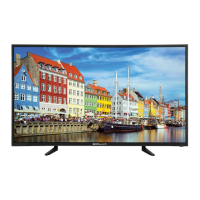

 To Next Page
 General