EasyManua.ls Logo

Bolva 49SVL19 - User Manual

Bolva 49SVL19
32 pages
Print Icon
To Next Page IconTo Next Page
Loading...
USER’S MANUAL
49SVL19
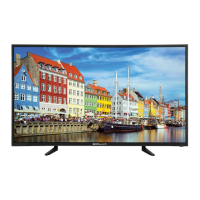
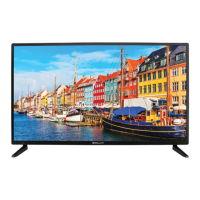
49” 4K ULTRA HD TELEVISION
For technical assistance or troubleshooting please call
1-866-594-5445 or visit www.bolvadigital.com

Questions and Answers

  • J
    Jesus JacksonAug 2, 2025
    How to fix no sound on Bolva 49SVL19?
    • J
      juliepowellAug 2, 2025
      If there is no sound on your Bolva TV, consider the following: * Check that the connected audio cables are completely inserted. * The mute function may be enabled, press the mute button on the remote.
  • K
    Kevin CervantesAug 6, 2025
    What to do if there is no picture on my Bolva 49SVL19 TV?
    • J
      juliebellAug 6, 2025
      If your Bolva TV has no picture, try these steps: * The digital TV channel signal may be weak, try another channel. * Press the INPUT button to verify the desired input is selected. * Reconnect the antenna or cable wiring.
  • S
    Sandra DavisAug 10, 2025
    How to fix Bolva 49SVL19 if it cannot receive certain channels?
    • J
      Justin AlexanderAug 11, 2025
      If your Bolva TV cannot receive certain channels through the antenna: * Perform a Channel Scan to add channels into the TV tuner memory. * Readjust your antenna and retry Auto Channel Scan. * The signal from the TV station may be weak in your area.
  • M
    michelehernandezAug 15, 2025
    How to resolve video noise or choppy picture on Bolva 49SVL19?
    • S
      Steven VincentAug 15, 2025
      If you are experiencing video noise or a choppy picture on your Bolva TV: * Readjust the antenna. * Keep the TV away from noise sources, neon lights, and microwave appliances.
  • S
    Steven PriceAug 19, 2025
    What to do if Bolva TV is blocked on certain channels?
    • J
      Jordan Gutierrez DVMAug 19, 2025
      If your Bolva TV is blocked on certain channels: * Perform a Channel Scan to add channels into the TV tuner memory. * Check whether the channel was deleted. * Check parental control settings.
  • A
    Alicia JohnsonAug 25, 2025
    How to remove black box on Bolva 49SVL19 TV screen?
    • R
      Robert ThompsonAug 25, 2025
      If there is a black box on the screen of your Bolva TV: * The “Text” option is enabled and no text is available. * Press the CCD button on the remote control to turn it off.
  • T
    Tina JonesAug 28, 2025
    Why can't I use certain functions on my Bolva TV?
    • S
      Sergio BurnettAug 28, 2025
      If you cannot use certain functions on your Bolva TV, the item chosen in a menu may be shown in gray text, indicating that item cannot be selected in the current input.

Summary

Important Safety Instructions

Introduction

Whats In The Box

Lists the items included in the TV package for setup and use.

Wall Mount Information

Details VESA mounting bracket specifications for wall mounting the TV.

Installing the Base

Remote Control

Battery Install

Instructions on how to properly install batteries in the remote control handset.

Remote Control Overview

Details the function and operation of each button on the remote control.

TV Overview

Front Panel Controls

Describes the buttons, indicators, and IR receiver located on the front of the TV.

Rear Panel Connections

Details the various input and output ports located on the rear of the TV.

Connecting External Devices

Connection Diagrams

Illustrates how to connect various external devices using different types of cables.

Customizing TV Settings

Initial Setup Wizard

Guides the user through the initial setup wizard for language and time zone selection.

Initial Setup - Network & Channels

Steps for connecting to the internet and scanning for channels during initial setup.

Source, Channel, and Volume

Instructions on selecting input sources, changing channels, and adjusting volume levels.

Streaming Services

Details on accessing and using various online streaming applications.

Media Playback - Photos

Guide to viewing photos from a USB drive via the MY MEDIA menu.

Media Playback - Music

Instructions for playing music files from a USB drive.

Media Playback - Videos

Guide to playing video files from a USB drive.

TV Settings Menu

Overview of the main TV Settings categories: General, Picture, Audio, Network, Channel, Time, Lock, Apps.

General Settings

Covers language, transparency, zoom, VGA, and closed captions.

Other General & System Settings

Includes TTS, input link, software updates, and system information.

Picture Settings

Details adjustments for brightness, contrast, color, sharpness, and advanced picture options.

Audio & Network Settings

Configuration for sound modes and network connections.

Channel Settings

Options for antenna/cable, auto scan, and favorite channels.

Time Settings

Settings for sleep timer, OSD timer, time zone, and daylight saving.

Lock Settings

Procedures for password, system lock, and rating systems.

App Settings

Managing Netflix and Vudu applications.

Specifications

Troubleshooting

Bolva 49SVL19 Specifications

General IconGeneral
BrandBolva
Model49SVL19
CategoryTV
LanguageEnglish

Related product manuals