마스터 부제목 스타일 편집
:
:
10
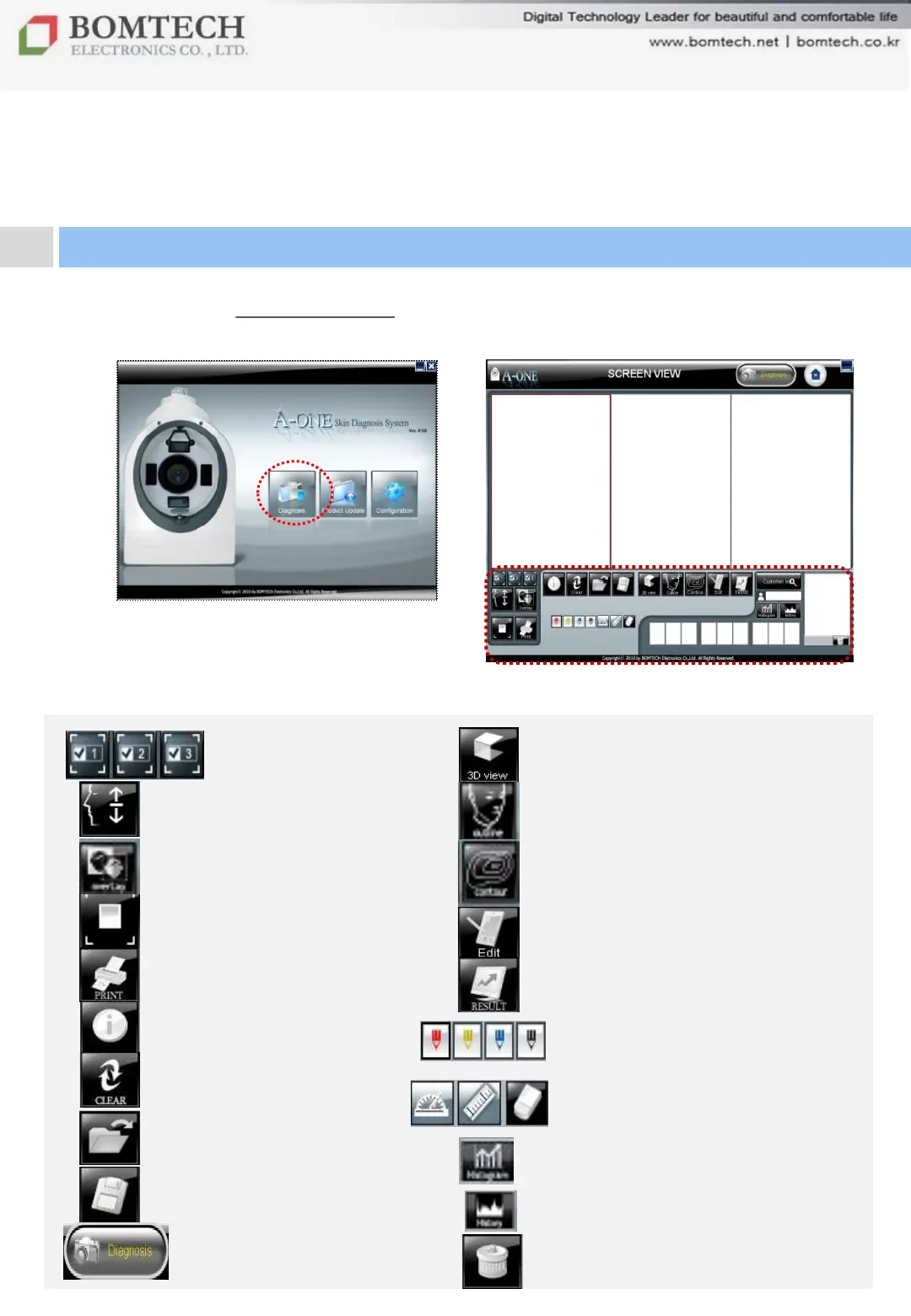
Click „Diagnosis‟ on startup page
to start diagnosis.
Ⅲ. Instruction
2. Diagnosis: Screen View
Select the number of screen
Show 3D View of skin
Simulation
Outline of face
Comparison of two photos
by overlapping
Contour
Full screen with zoom function
Edit
Print out image
Move to result page
Color pencil function
Protractor, ruler and eraser function
Hide test value
Clear screen view
Open image
Save image
Start diagnosis
Histogram of data
History of photos
Delete diagnosis date list


 To Next Page