마스터 부제목 스타일 편집
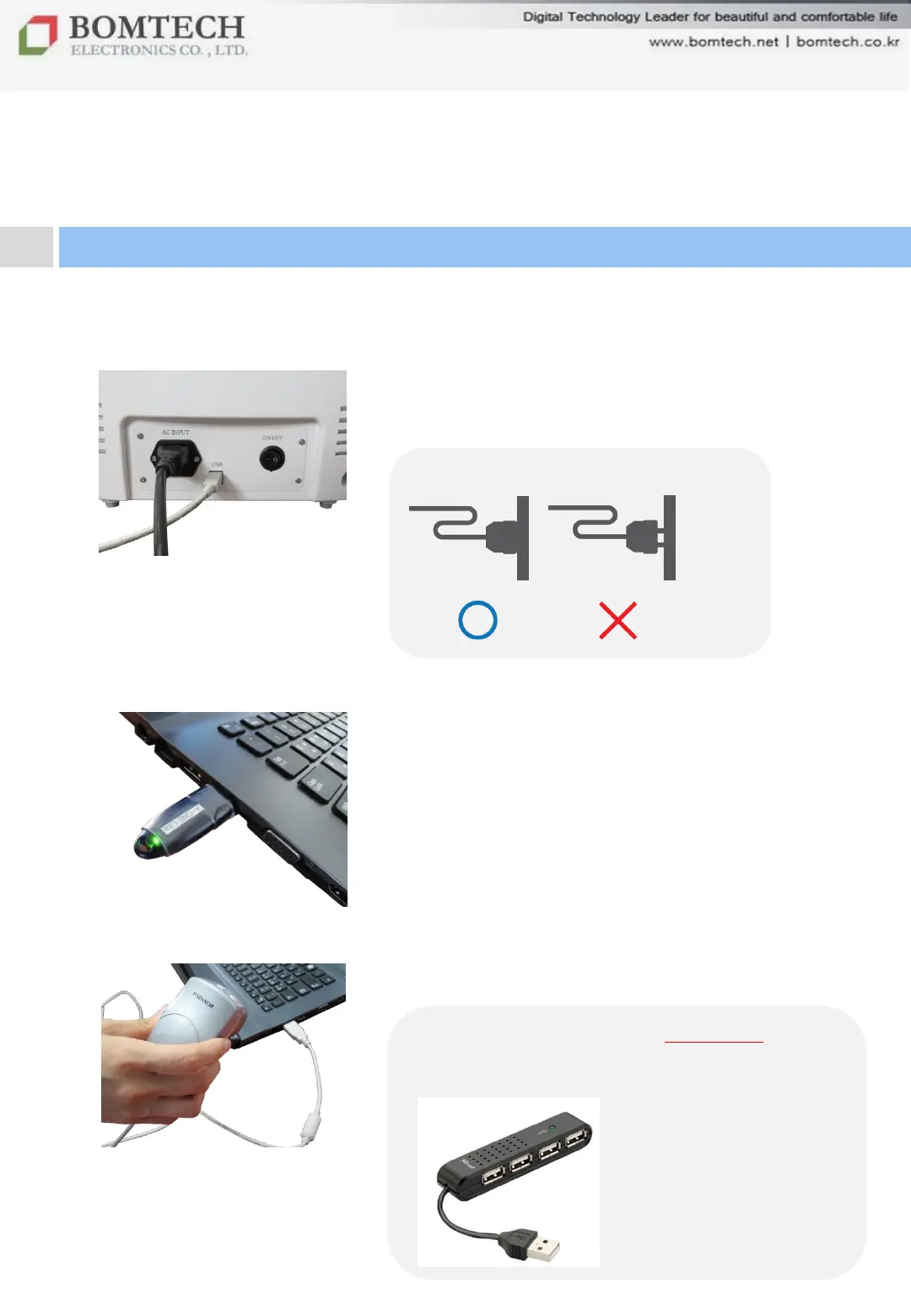
1) Plug in with power cord and connect it to PC
with USB cable.
*** We recommend to use USB hub in case
the number of USB port is not enough or PC
doesn’t support stable USB 2.0.
Ⅱ. Installation
2. Connection
** Check connection of power cord.
2) Plug lock key into PC.
3) Connect P-Sensor to PC.


 To Next Page