마스터 부제목 스타일 편집
5
1) Insert program CD into CD-ROM drive.
2) Autorun file is automatically executed.
3) Install software and lock key driver.
** No need to install camera driver and P-Sensor driver as they are
automatically recognized by PC.
** Caution
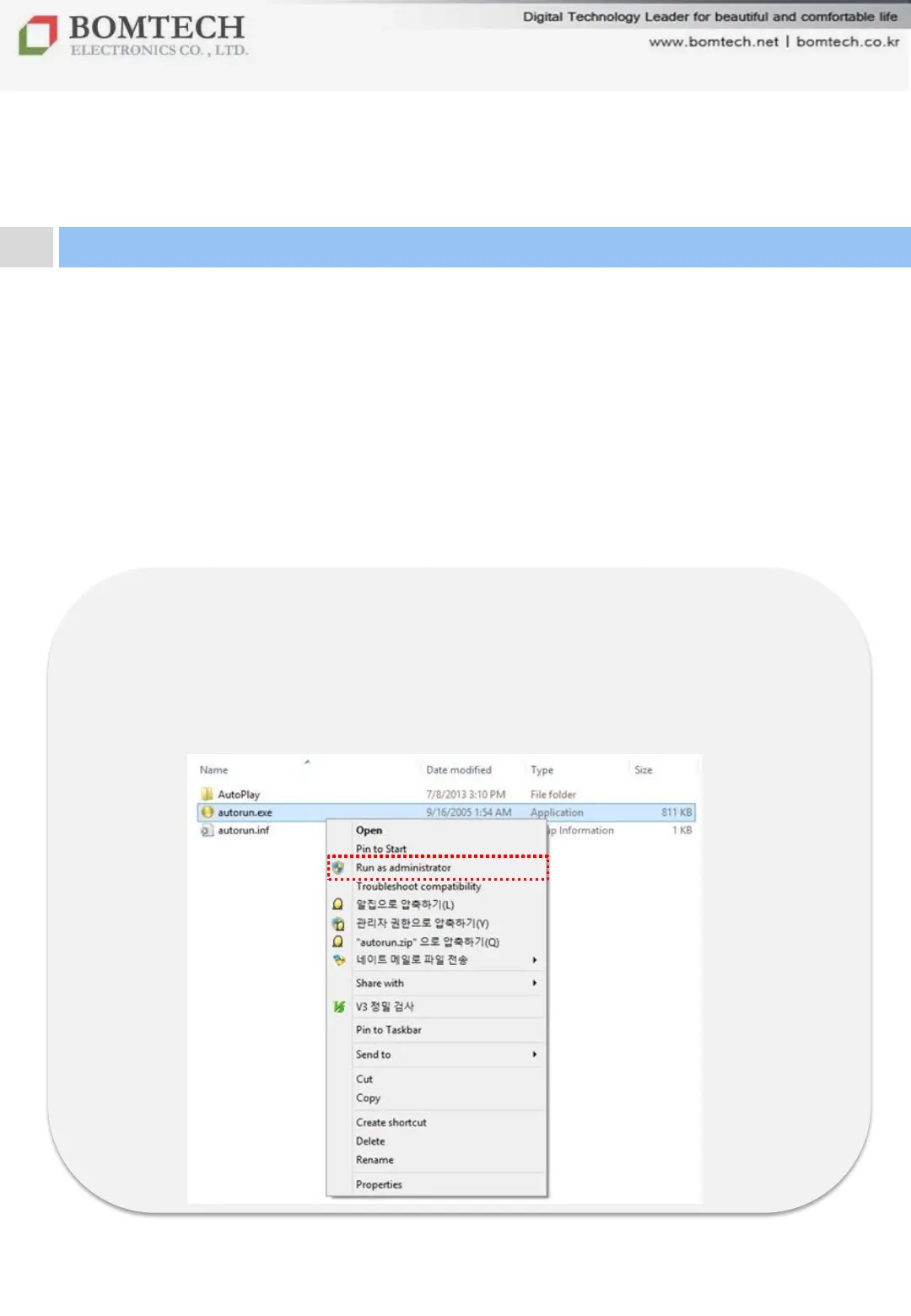
To install the software on Windows 8, Autorun file should be
executed as administrator. Open CD-ROM drive, right-click the
Autorun.exe file and select „Run as administrator‟.
If unknown publisher security warning pops up, select „Yes(Y)‟.
For your beautiful and comfortable life, BOMTECH skin diagnosis system A-ONE
Ⅱ. Installation
1. Program Installation


 To Next Page