마스터 부제목 스타일 편집
35
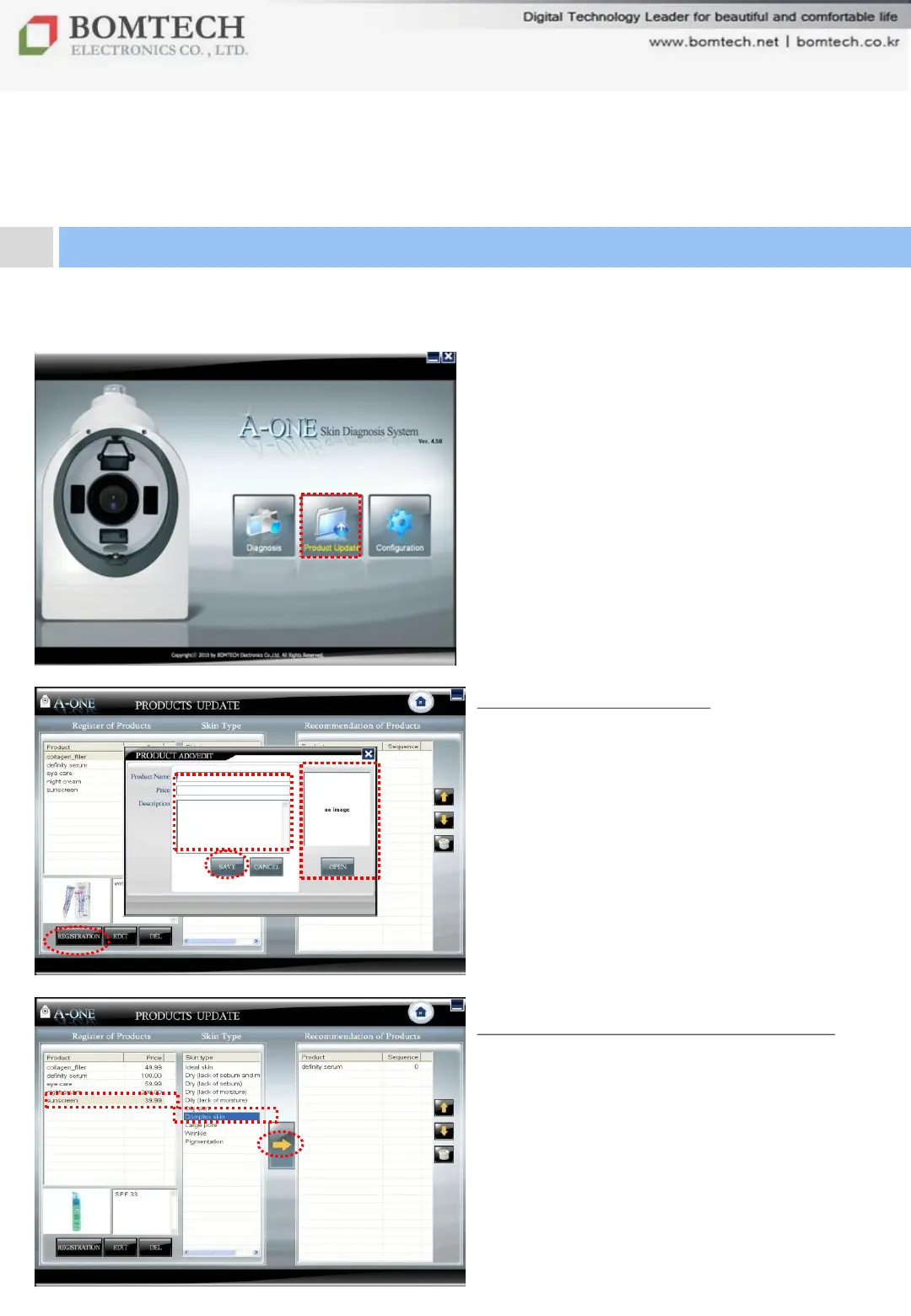
Click „Product Update‟ on the start-up
page.
Product Registration
① Click „REGISTRATION‟ below.
② Enter product name, price,
description.
③ Click „OPEN‟ and bring product image
from your PC.
④ Click „SAVE‟ below.
Product Category Classification
After product registration,
① Select a product.
② Select the skin type the product is for.
③ Click the yellow arrow button.
The registered product will be shown on
Product Recommendation page.
For your beautiful and comfortable life, BOMTECH skin diagnosis system A-ONE
①
②
③
Ⅲ. Instruction
4. Product Update
④
①
②
③


 To Next Page