마스터 부제목 스타일 편집
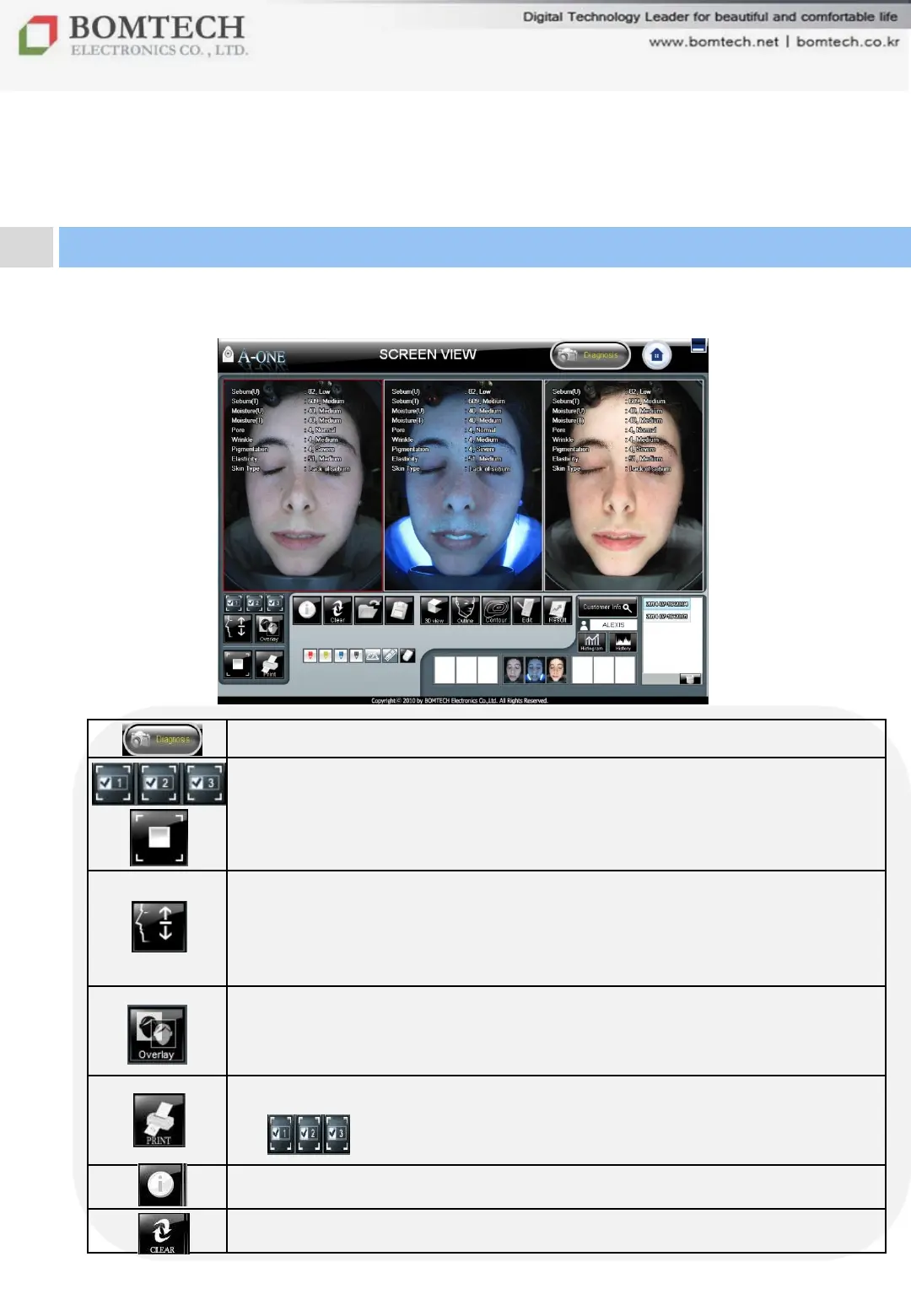
Start diagnosis
Select the number of screen
1: picture on the left, 2: picture in the middle, 3: picture on the right)
Full screen with zoom function
- Select an image, click the button.
Virtual simulation function
- Shows before & after treatment and compares them for
client‟s better understanding of treatment effect.
(Reference page 31 – Simulation)
Overlay function
- Shows the face‟s change by overlapping two images.
(Reference page 33, 34 – Overlay)
Print out images
- You can print out the checked images.
Show test value with simple text or hide it.
Initialize SCREEN VIEW.
28
Ⅲ. Instruction
3. Additional Function


 To Next Page