마스터 부제목 스타일 편집
7
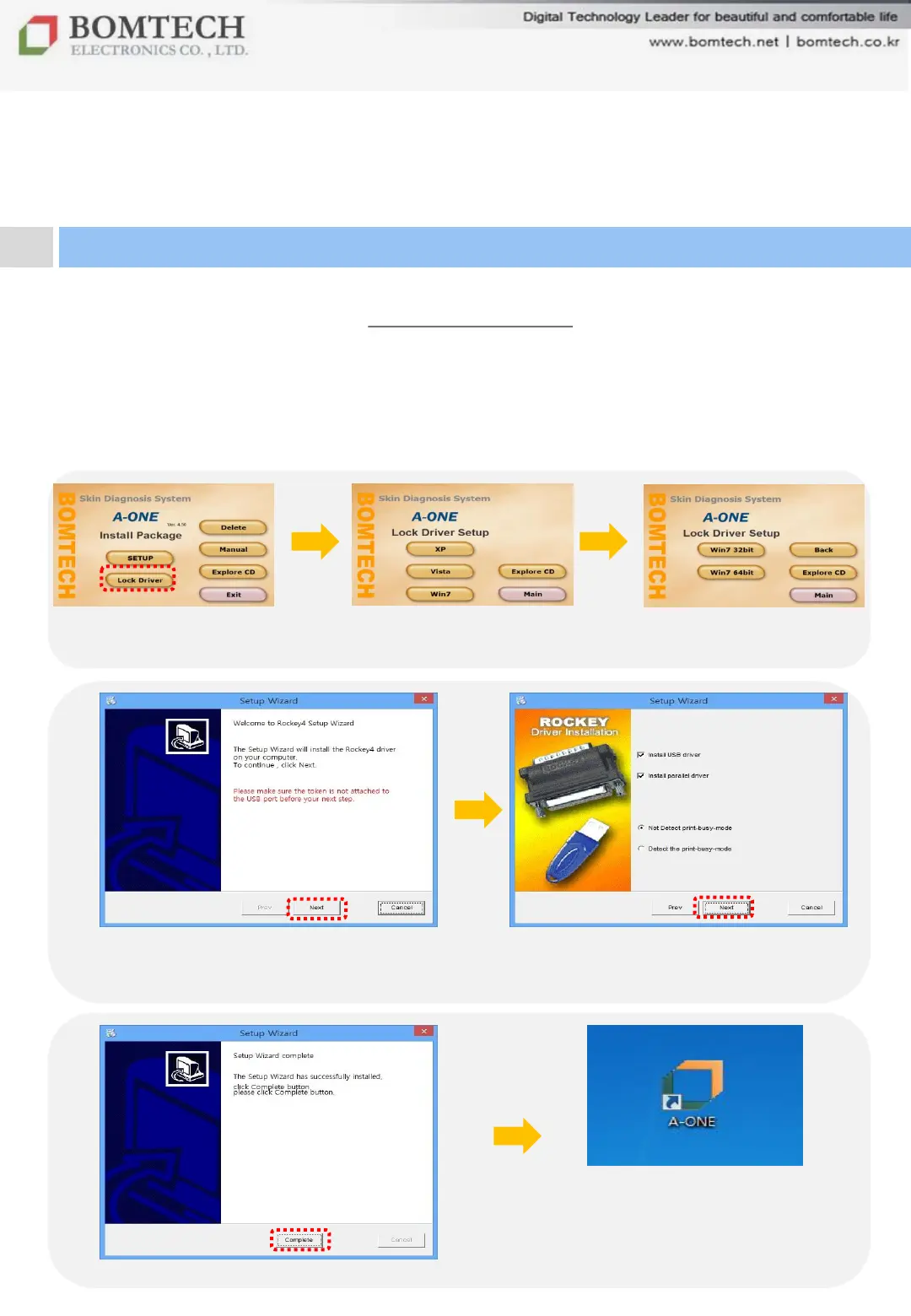
Click „Lock Driver‟
Select „Windows OS‟
(Win 8 user selects Win 7.)
In case of Vista/ Win7/ Win8,
select 32bit or 64bit
Click „Next‟
(Lock key should be disconnected to PC
before clicking „Next‟.)
Click Next
Click „Complete‟
Double-click A-One shortcut
icon on desktop to execute the
software.
For your beautiful and comfortable life, BOMTECH skin diagnosis system A-ONE
Ⅱ. Installation
2. Program Installation: Lock Key Driver
There are two kinds of USB lock key:
- Red lock key : It is automatically recognized by PC. No need to install
lock key driver.
- Blue lock key: Install lock key driver following the below instruction.


 To Next Page