마스터 부제목 스타일 편집
16
For your beautiful and comfortable life, BOMTECH skin diagnosis system A-ONE
Ⅲ. Instruction
2. Diagnosis
Client
Registration
Diagnosis Result
Product
Recommendation
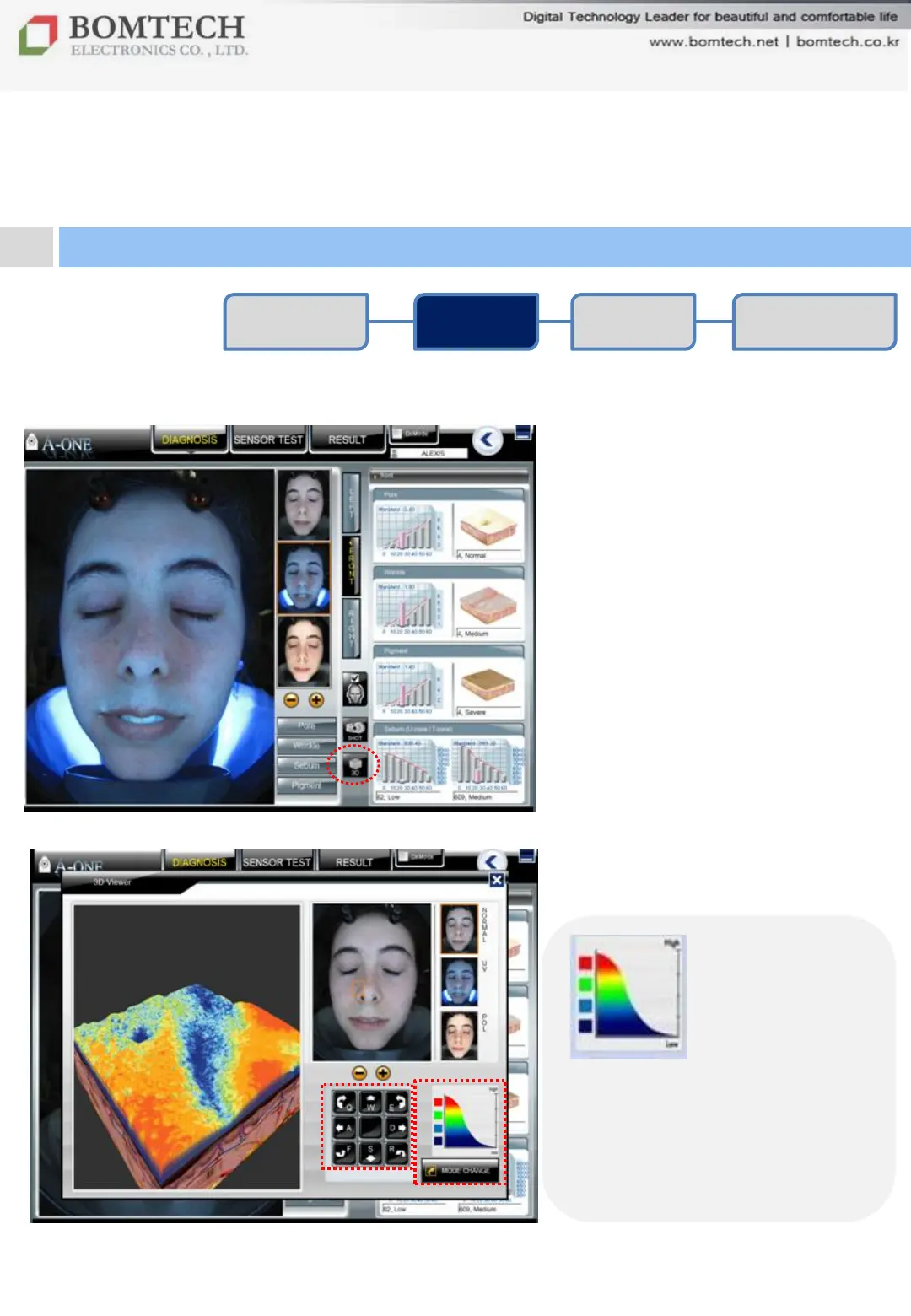
3D Viewer
To see visualized pore and skin
roughness.
① Select a image and click „3D‟.
② Drag the orange box and
put on the part as you wish.
③ Adjust a viewing angle using
direction control keys below.
④ Click „Mode Change‟ to see
the contour of the selected part.
Red: High parts of skin
Blue: Low parts of skin
(ex. Pores and wrinkles appear
as blue.)


 To Next Page