마스터 부제목 스타일 편집
37
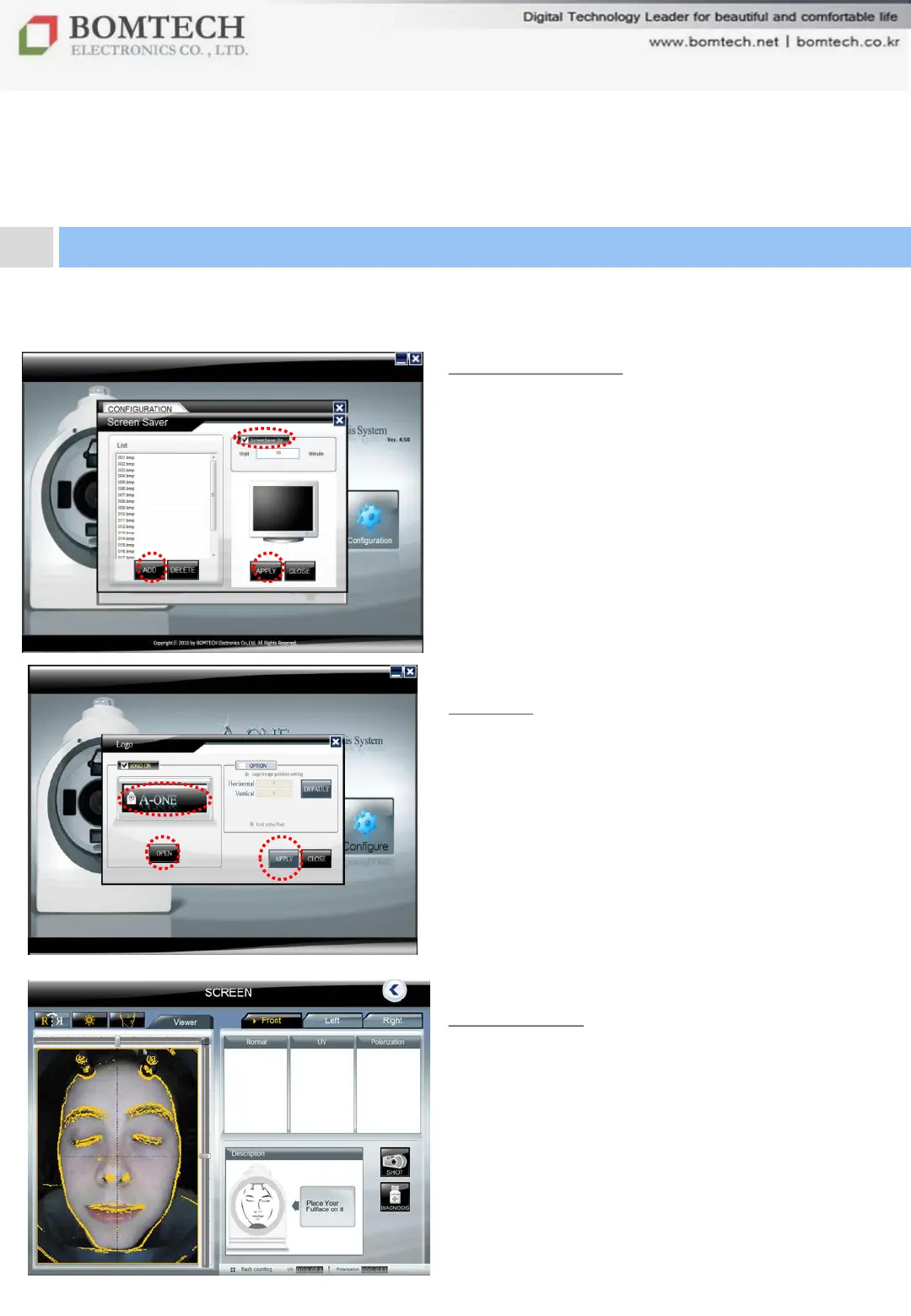
3) Screen saver
Mark „Screen saver on‟ first, set the lasting
time, bring image you want from your PC
and click „APPLY‟.
** If screen saver on Windows turns on, this
screen saver of the program doesn’t work.
4) Logo
Mark „LOGO ON‟ first, click „OPEN‟ to bring
your logo image from your PC and click
„APPLY‟.
5) Guideline
To adjust head position when
re-diagnosis
For your beautiful and comfortable life, BOMTECH skin diagnosis system A-ONE
Ⅲ. Instruction
5. Configuration


 To Next Page