마스터 부제목 스타일 편집
45
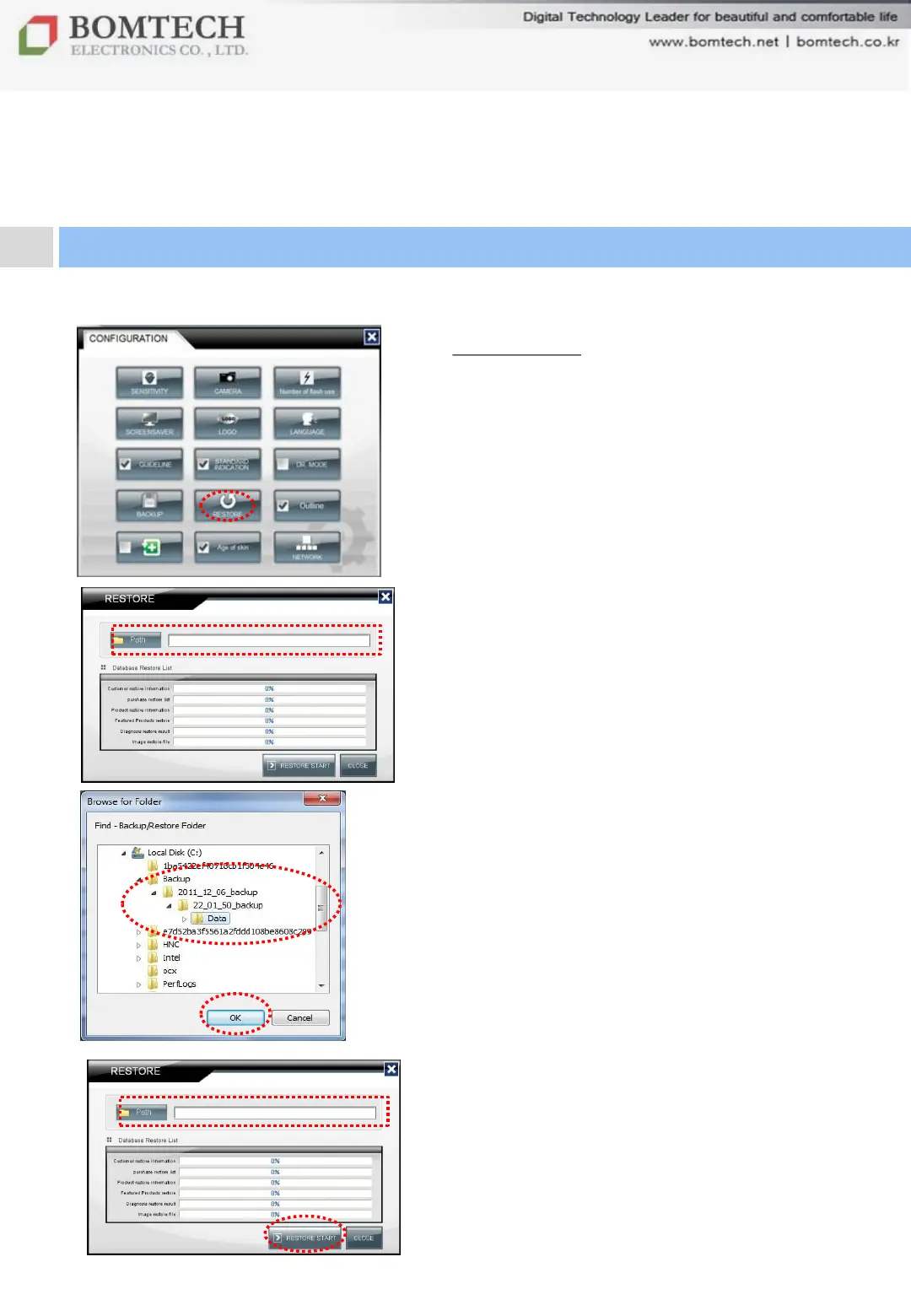
14) Restore
To restore back-up data files
Click „RESTORE‟ on Configuration.
When the restore window pops up,
① Click „Path‟.
② Select the folder to back up.
②-1. Select the date that you want to
restore.
②-2. Select the time that you want to
restore.
②-3. Click „Data‟ folder.
③ Click „OK‟.
④ Check whether the path is correct or
not.
⑤ Click „RESTORE START‟.
For your beautiful and comfortable life, BOMTECH skin diagnosis system A-ONE
Ⅲ. Instruction
5. Configuration
①
④
⑤
③
②


 To Next Page