Installation manual BMG for Creality CR-10 V1.0 4
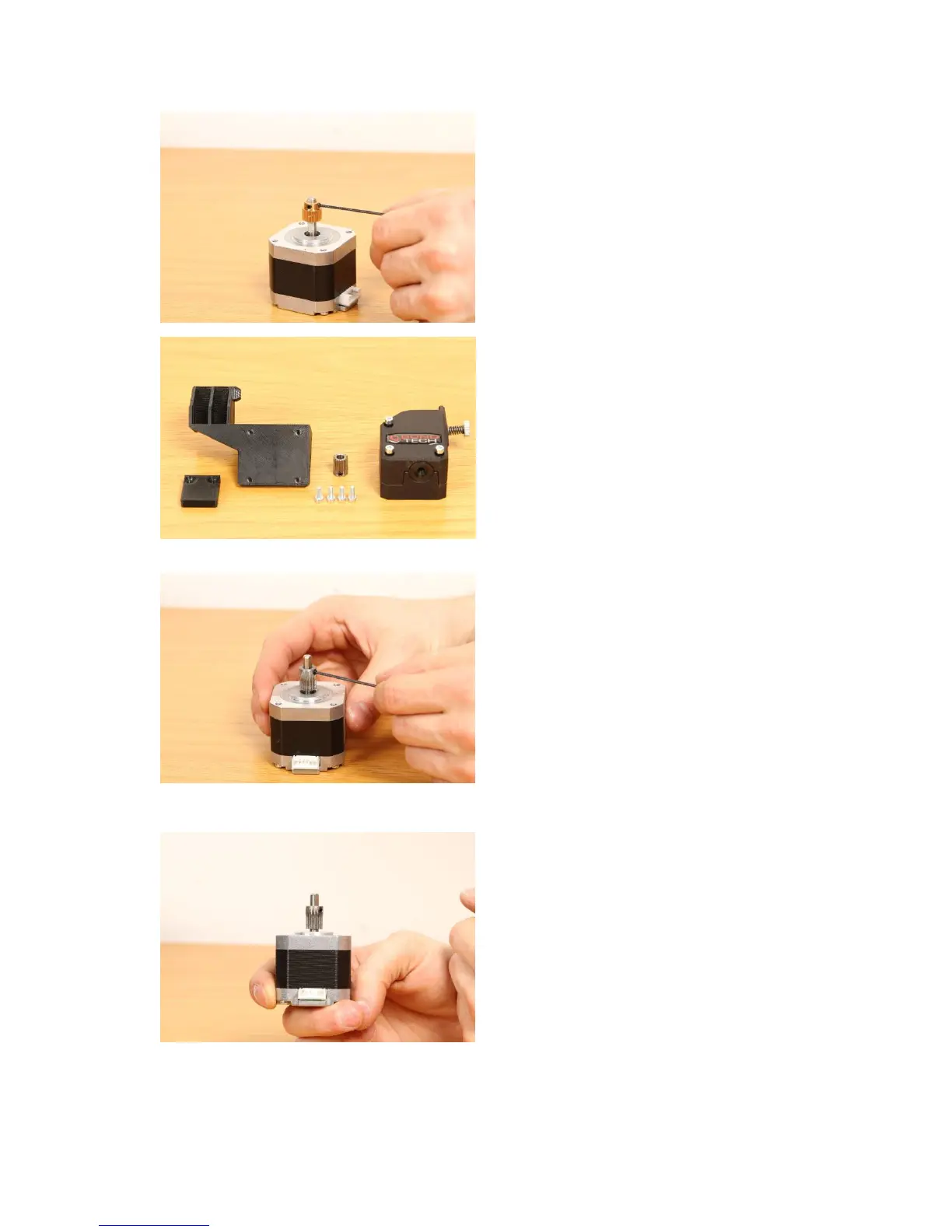
● Remove the existing drive gear
from the motor using a 1.5 mm
hex key.
● This photo shows what is
included into the kit if you
purchased it with the mount.
Also the mount shown is the
version with filament sensor.
● Use the new gear included in the
set and place it onto the motor
shaft, make sure the setscrew is
aligned with the flat plane on the
motor shaft.
Important! Please use the
orientation shown in the photo!
● Leave about 1-1.5 mm clearance
between the gear and the motor.
Tighten the setscrew.


 To Next Page