Installation manual BMG for Creality CR-10 V1.0 5
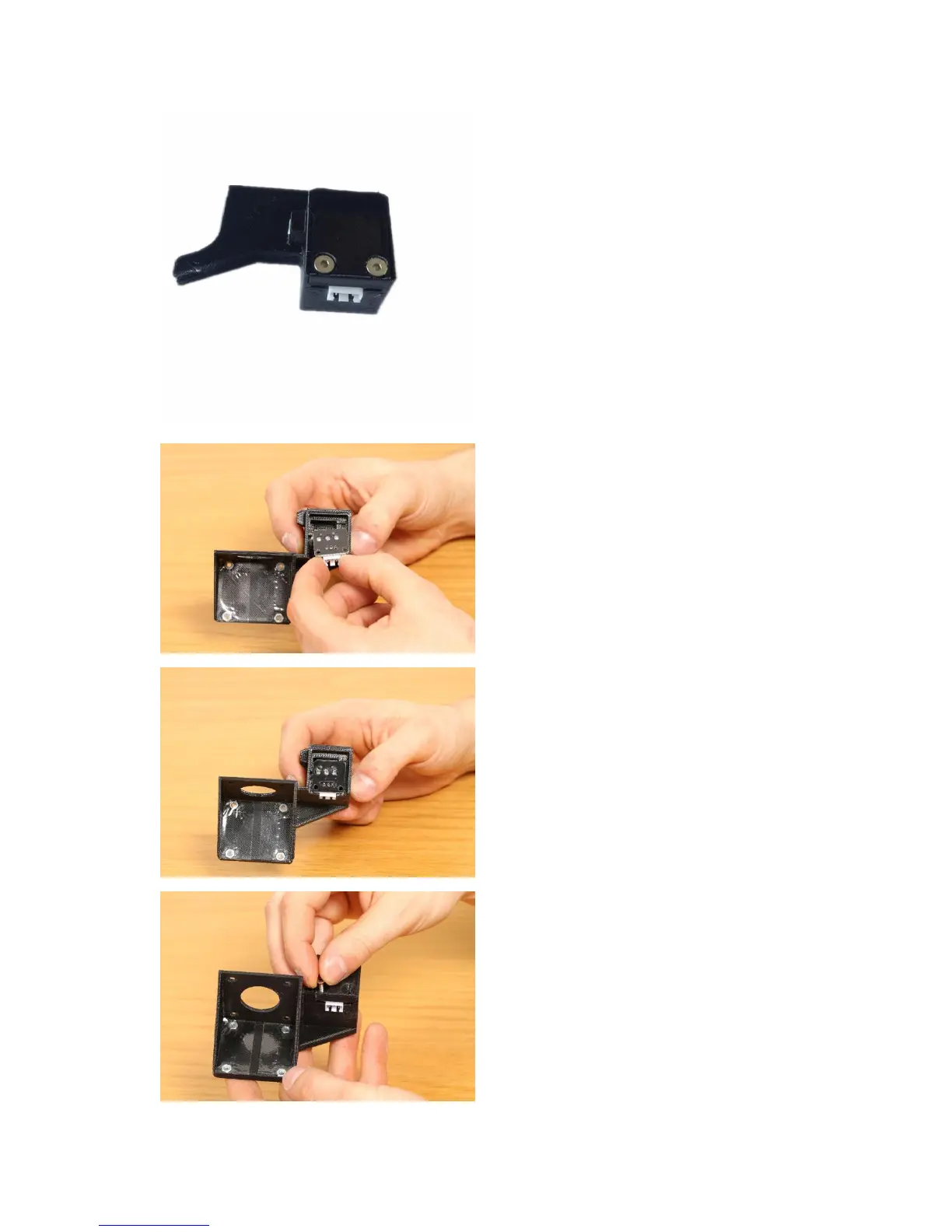
If you have a Creality CR-10S then you
have a filament sensor, we have
integrated the housing for the sensor
into the mount.
● Unscrew the two M3 screws that
holds the lid and the microswitch
together and remove the
microswitch.
● Place the microswitch into the
new mount, please note the
orientation and take care that the
metal tab moves into position.
● Microswitch correctly positioned
into the mount.
● Use the two screws you removed
earlier from the original unit and
screw them into the housing to
secure the cover and the
microswitch.


 To Next Page